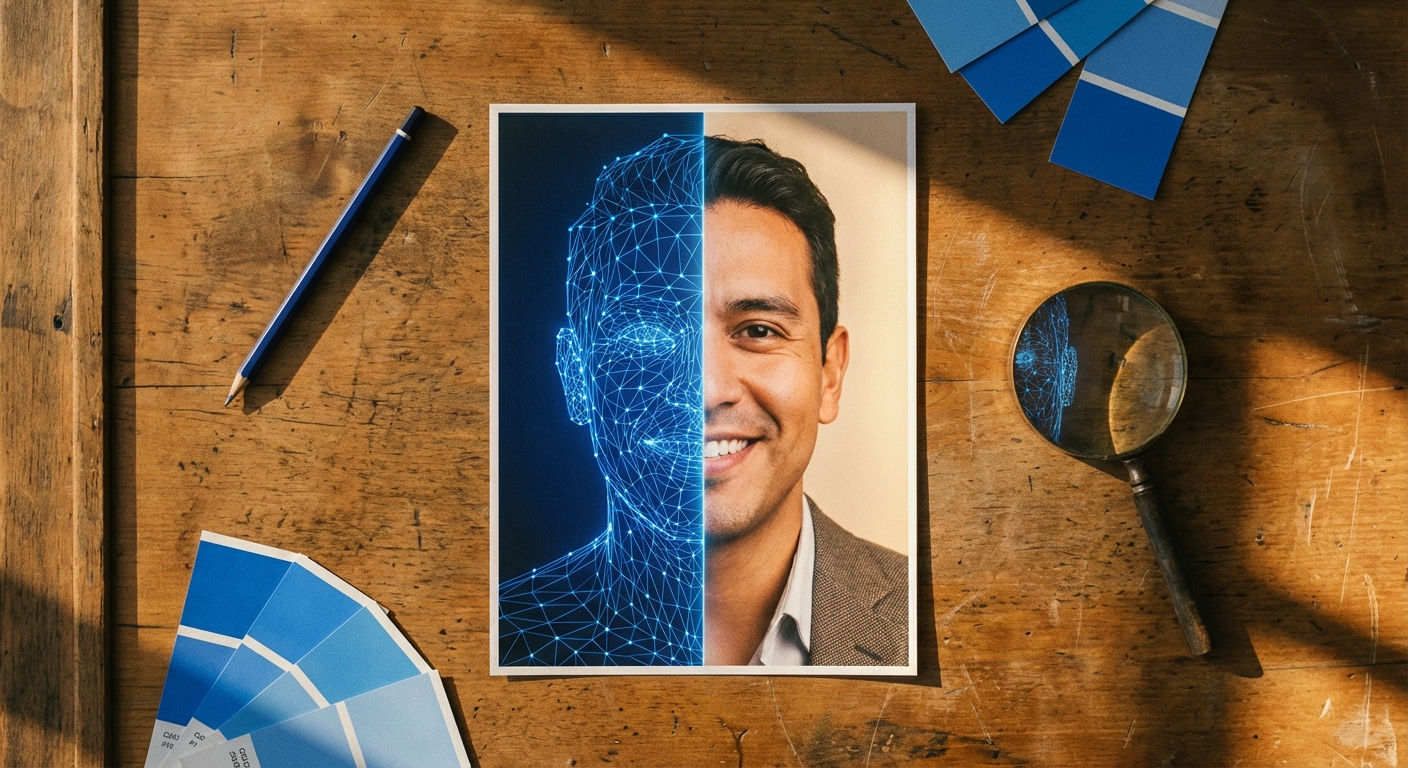
How Do AI Headshots Work? Step-by-Step Guide
TL;DR: Quick Answer
AI headshot tools use your uploaded selfies as identity references, then generate new professional-looking images that preserve your face while changing setting, lighting, and wardrobe.
Use Portreya when you need a realistic individual headshot for LinkedIn, job search, or a public professional profile.
Use a photographer for casting, editorial, or high-stakes press work.

This guide is written for an individual who needs a credible professional image for LinkedIn, a CV, a speaker bio, a portfolio, or a personal website. The goal is not to create a perfect synthetic portrait. The goal is to create a photo that still looks like you, reads clearly at profile-photo size, and fits the professional context where it will appear.
The short version
Most AI headshot workflows follow the same basic pattern:
1. You upload clear, recent selfies. 2. The system analyzes facial structure and image quality. 3. You choose or receive a professional style: background, clothing, lighting, pose, and expression. 4. A generative model creates new portraits from those identity cues and style instructions. 5. You review the results and choose the version that looks natural.
That is why AI headshots are different from normal retouching. Retouching edits an existing photo. AI headshot generation creates a new image based on your face and the requested professional look.
Step 1: Upload selfies that show your real face
The input photos matter more than most people expect. A good selfie gives the model enough information to understand your face without guessing.
Use selfies that are:
- recent
- sharp, not blurry
- evenly lit
- taken from a normal front-facing angle
- free from heavy filters
- not blocked by sunglasses, hands, hats, or hair across the face
Step 2: The system reads facial structure
Before generating anything, the model needs to understand the identity cues in the uploaded photos. These include face shape, eye spacing, jawline, mouth shape, nose structure, hairline, and overall proportions.
This stage is why clean lighting matters. If one side of your face is hidden in shadow, or if the selfie is softened by a beauty filter, the model receives weaker identity information. It may still produce a polished headshot, but the result can drift away from how you actually look.
Step 3: Style instructions shape the final photo
Once the system has enough identity information, it combines that with style instructions. These instructions define the visible choices that make the image feel professional:
- background
- clothing
- pose
- expression
- crop
- lighting
- overall tone
Portreya is built around this individual use case: generate a professional headshot from normal selfies, then pick the result that fits the specific profile you are updating.
Step 4: The model generates a new portrait
The generated image is not a pixel-by-pixel edit of your original selfie. It is a new portrait guided by your identity and the selected style.
That matters because it explains both the strengths and the weaknesses:
- It can create a cleaner background than your original selfie.
- It can improve lighting and wardrobe.
- It can produce several professional variations quickly.
- It can also make mistakes around details like glasses, jewelry, teeth, hair edges, and hands.
Create professional headshots with Portreya
Open a free account, upload a selfie, and pick your style.
Create your free accountStep 5: Review the result like a human
Do not pick the image that looks most perfect. Pick the one that looks most credible.
Check these areas before using an AI headshot:
- eyes and eye direction
- teeth and smile shape
- glasses and reflections
- hairline and hair edges
- ears and earrings
- collar, lapels, and clothing edges
- skin texture
- overall likeness
What affects AI headshot quality most?
Clear lighting
Balanced lighting helps the system preserve face shape and skin tone. Harsh shadows, backlighting, or yellow indoor light can make the generated output less reliable.
Recent photos
Use photos that match how you look now. If the uploaded photos are several years old, the result may look polished but outdated.
Consistent identity cues
If every source photo shows a very different haircut, beard, makeup style, or weight, the model has to average conflicting information. Use selfies that represent the version of yourself you want the final headshot to match.
Simple professional styles
Clean backgrounds, realistic clothing, and natural expressions usually outperform complex cinematic looks. For profile photos, clarity beats drama.
AI headshots vs traditional photography
Both options can produce strong professional photos. The right choice depends on what you need.
| Question | AI headshot | Traditional photographer |
|---|---|---|
| Need a photo quickly? | Usually faster | Depends on booking and editing schedule |
| Want in-person direction? | Limited | Strong |
| Need a lower-cost option? | Usually lower | Usually higher |
| Need full creative control on set? | Limited | Strong |
| Need a LinkedIn/CV profile photo? | Often enough | Also strong |
For a deeper comparison, read AI headshots vs a photographer.
How to get better AI headshots
Use this checklist before generating:
- Take selfies near a window or in soft daylight.
- Keep the camera close to eye level.
- Avoid extreme angles.
- Use a neutral expression and one natural smile.
- Remove sunglasses, hats, and heavy filters.
- Use current photos, not old favorites.
- Review the output at small profile-photo size before choosing.
Common questions
Are AI headshots just filters?
No. A filter changes the appearance of an existing image. A modern AI headshot generator creates a new portrait using your source photos as identity references.
Why do some AI headshots look wrong?
Usually because the source photos are unclear, inconsistent, outdated, heavily filtered, or partially blocked. Some errors also come from difficult details like glasses, teeth, jewelry, and hair edges.
Can AI headshots look natural?
Yes, when the source photos are clear and the final image is reviewed carefully. The best result is usually the one that looks believable, not the one that looks most retouched.
How many photos do I need?
A few clear selfies are enough to start. More variety can help, but quality matters more than volume.
Are AI headshots good enough for LinkedIn?
For many people, yes. LinkedIn needs a clear, current, professional profile photo that works at small sizes. You should still check the crop, likeness, and expression before uploading.
Next step
If you want to test this with your own face, start with the AI headshot generator. For profession-specific examples, browse AI headshots by profession, including LinkedIn, business, actor, real estate, and executive profile use cases.
Frequently Asked Questions
Are AI headshots just filters?+
No. They generate new images using your photos as identity references.
Why do some AI headshots look wrong?+
Usually because source photos are unclear, inconsistent, outdated, or too heavily edited.
Ready to get started with Portreya?
Generate professional AI headshots in 60 seconds.
Create your free account
About the Author
Founder & CEO, Portreya
Matthieu van Haperen runs Portreya, where he helps individuals turn casual selfies into professional AI headshots. Before founding Portreya, he spent 6+ years building and scaling tech startups. He writes about professional photography, personal branding, and how AI is changing online portraits.
Connect on LinkedIn →