PortreyaJournal

LinkedIn Headshot Size Guide: Crop, Dimensions, and Safe Zones

MH
Matthieu van HaperenFounder & CEO, Portreya · Updated Mar 2026

TL;DR: Quick Answer

LinkedIn profile photos display as a circle. Upload a high-resolution square image, keep your face centered, and avoid placing hair, shoulders, or background details too close to the edge.

Use Portreya when you need a realistic individual headshot for LinkedIn, job search, or a public professional profile.

Use a photographer for casting, editorial, or high-stakes press work.

LinkedIn Headshot Size Guide: Crop, Dimensions, and Safe Zones
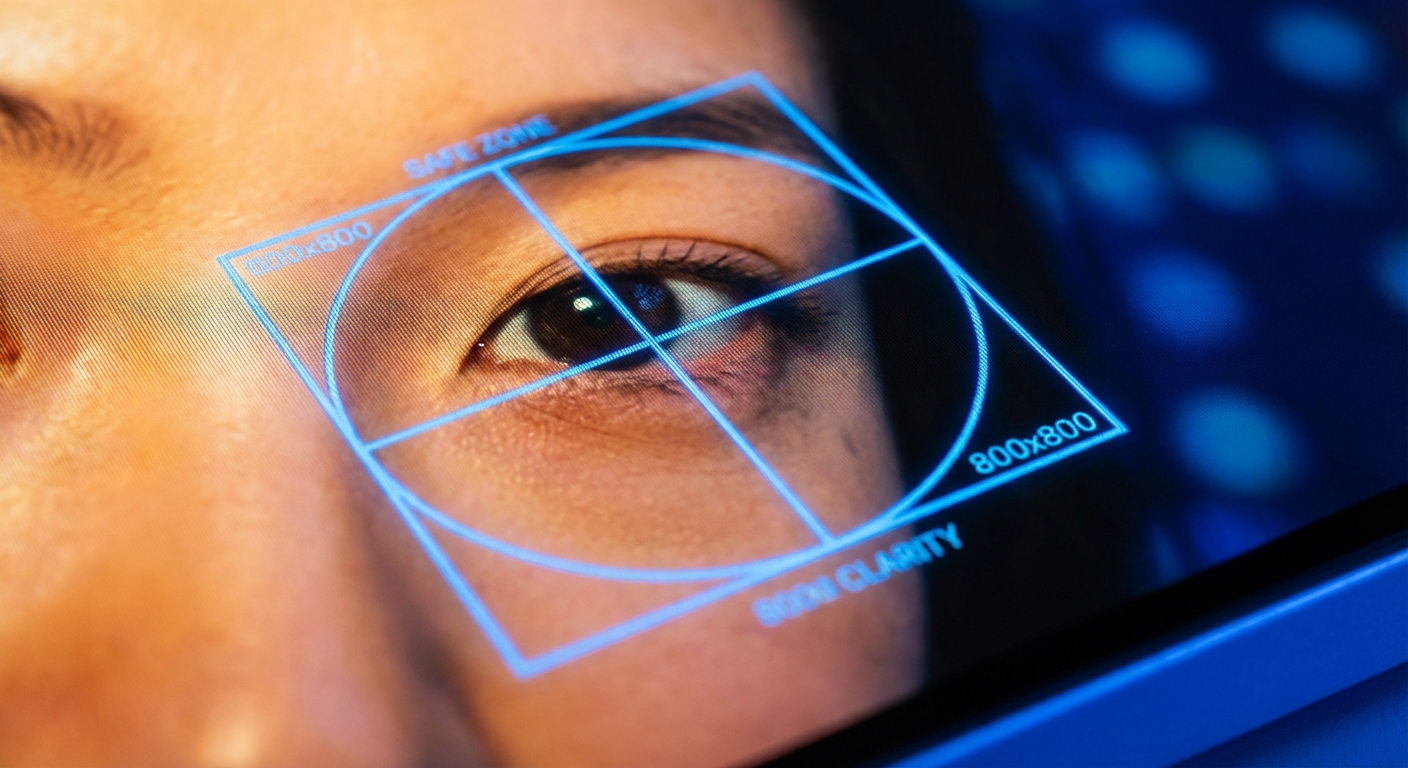
Direct answer: LinkedIn profile photos display as a circle, cropped from your uploaded square. Upload at minimum 400 × 400 pixels (LinkedIn's spec) but 800 × 800 is the safer working size; keep your face centered with eyes slightly above the middle and breathing room around the head. Portreya outputs LinkedIn-ready dimensions by default — every generated headshot lands at a resolution and aspect ratio that survives the round-crop test.

This guide is for an individual updating their LinkedIn presence, not a corporate team rollout. The priority is a photo that reads sharply at small avatar sizes and projects credibility on mobile and desktop alike.

LinkedIn's actual specs (2026)

LinkedIn supports profile photos at up to 7680 × 4320 pixels, but renders them in two key sizes that matter for design:

  • Profile page (desktop): 400 × 400 pixels, rendered as a circle
  • Feed/search thumbnail: 56 × 56 pixels, rendered as a circle
  • Mobile profile header: ~200 × 200 pixels, rendered as a circle
The minimum upload that LinkedIn accepts is 200 × 200, but the platform's own recommendation is at least 400 × 400. Portreya outputs every generated headshot at HD resolution — 1024 × 1024 or higher depending on the preset — which is well above any LinkedIn requirement and gives the platform clean source pixels to downscale.

Best upload format

Use a square image, at least 800 × 800 pixels, JPG or PNG, under 8MB. Larger is fine — LinkedIn resizes it. A clean square source gives you more control over the circular crop than a rectangular image.

Portreya's headshot output is square by default with the face centered. You can upload directly to LinkedIn without any cropping or aspect-ratio adjustment. Most professional photographer files come as 3:2 or 4:5 rectangles and require manual cropping before upload — an annoying step that Portreya skips.

Where to place your face

The two rules that matter for the LinkedIn round-crop:

1. Eyes slightly above the center horizontal line. This is the same composition that classic portrait photography teaches — gives the photo natural weight and the face proper presence in the avatar circle. 2. Leave 10–15% breathing room around the head. If your chin, hair, or shoulders touch the crop edge, the photo will feel cramped on mobile and the circular crop may cut off part of your head.

Portreya's presets are tuned for this composition. The default head-and-shoulders framing places the eyes at ~40% from the top and leaves room on all sides — both rules satisfied without manual work.

What to avoid

  • Full-body crops: your face will be unreadable at 56 × 56 in the feed.
  • Side profiles: LinkedIn convention is direct eye contact; profiles undercut credibility.
  • Group photos cropped down to one person: the residual context (cropped arms, partial faces) is distracting.
  • Dark backgrounds that disappear in LinkedIn's dark mode: aim for a contrast that works in both light and dark.
  • Heavy filters or Instagram-style retouching: LinkedIn is a professional context — over-edited photos lose credibility.
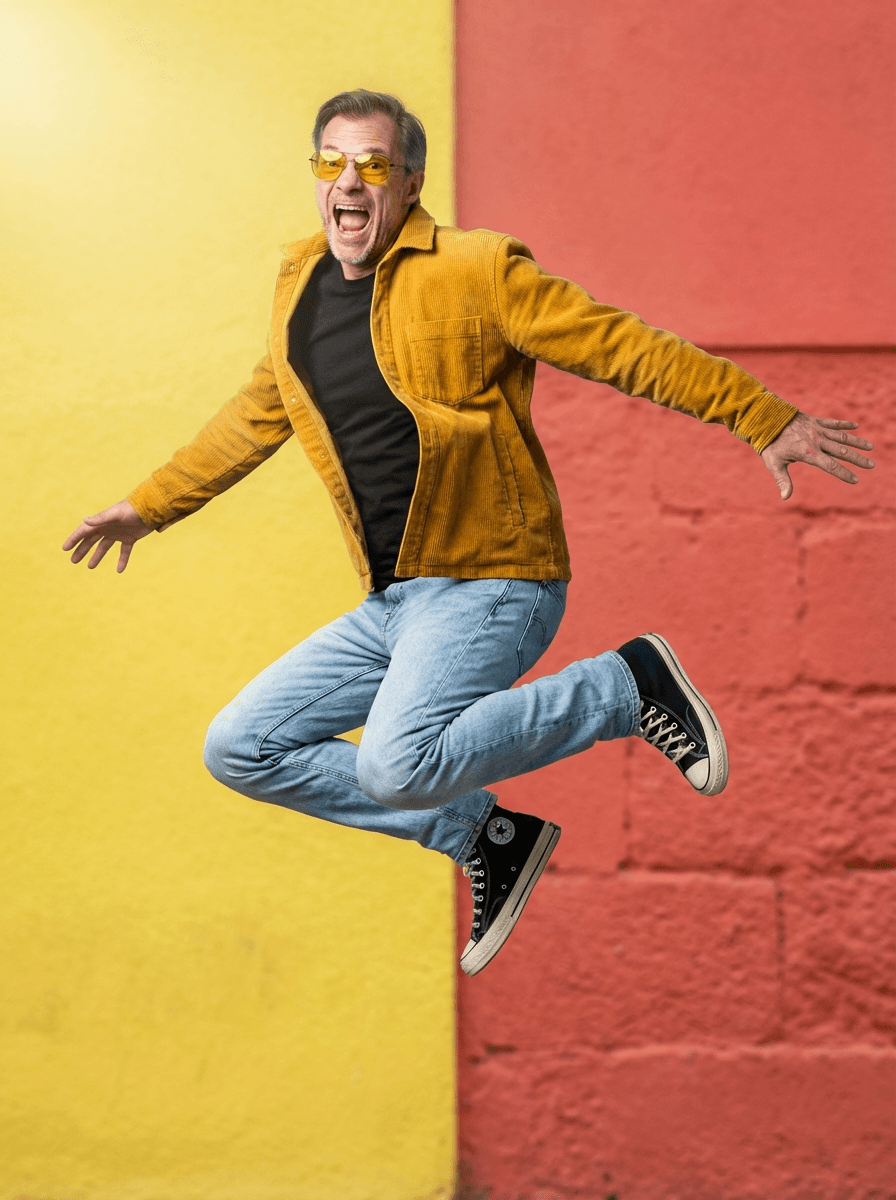
Portreya's preset library defaults to LinkedIn-appropriate framing, lighting, and background contrast. The LINKEDIN_NEUTRAL_STUDIO preset specifically targets a neutral mid-tone background that reads correctly on both LinkedIn light and dark modes.

Create professional headshots with Portreya

Open a free account, upload a selfie, and pick your style.

Create your free account

Dark-mode readability

LinkedIn launched dark mode in 2022 and most users opt in. A photo that looks great on a white background may disappear into the platform's dark theme. The safe move: pick a background tone that's neither pure white nor pure black — soft gray, muted blue, or warm beige. Portreya's default presets use these mid-tones for exactly this reason.

How Portreya outputs LinkedIn-ready photos

When you generate a headshot in Portreya, the output is:

  • Square aspect ratio (no cropping required)
  • 1024 × 1024 minimum resolution (well above LinkedIn's 400 × 400 spec)
  • Eyes positioned at ~40% from the top (satisfies the safe-zone rule)
  • Mid-tone background by default (works in light and dark mode)
  • HD JPG/WebP export (under LinkedIn's 8MB upload limit)
You can upload the file directly to LinkedIn with no cropping or editing. Portreya generates LinkedIn-ready headshots cropped for the round avatar, so the face placement is correct out of the box, backed by a money-back guarantee.

For broader use cases, browse AI headshots by profession, including LinkedIn headshots. If you are still comparing how generation works, read How AI headshots work.

Next step

If you want to test this with your own face, start with the AI headshot generator. You can also compare AI versus a photographer before deciding.

Frequently asked questions

What size should a LinkedIn headshot be?

LinkedIn's spec is 400 × 400 pixels minimum. The safer working size is 800 × 800 or larger — gives the platform clean source pixels for the various render sizes (profile page, feed thumbnail, mobile header). Portreya outputs at 1024 × 1024 minimum, which exceeds every LinkedIn requirement and uploads directly without cropping.

Should my LinkedIn photo be close-up?

Yes. Your face should be the main subject — the image renders as small as 56 × 56 pixels in feeds and search results, so anything farther than head-and-shoulders becomes unreadable. Portreya's default framing is head-and-shoulders, which reads correctly at every LinkedIn render size.

What's the safe zone for the LinkedIn round crop?

The circular crop centers on the square's middle, with a radius of roughly 50% of the image width. Keep all critical visual elements (eyes, nose, mouth, jawline) within a circle covering about 70% of the image to avoid being cut off on mobile. Portreya's presets respect this safe zone by default.

Does LinkedIn's dark mode affect which photo I should upload?

Yes. A photo with a pure white background can disappear into LinkedIn's dark theme. The safe choice is a mid-tone background — soft gray, muted blue, or warm beige. Portreya's default presets use these mid-tones for cross-mode readability.

Do I need to crop the photo before uploading to LinkedIn?

If you start with a square image, no — LinkedIn handles the round crop automatically. If you start with a rectangle (a typical photographer file is 3:2 or 4:5), yes — you'll need to crop to square first. Portreya outputs square by default, so there's no cropping step between generation and upload.

Frequently Asked Questions

What size should a LinkedIn headshot be?+

LinkedIn's spec is 400 × 400 pixels minimum. The safer working size is 800 × 800 or larger — gives the platform clean source pixels for the various render sizes (profile page, feed thumbnail, mobile header). Portreya outputs at 1024 × 1024 minimum, which exceeds every LinkedIn requirement and uploads directly without cropping.

Should my LinkedIn photo be close-up?+

Yes. Your face should be the main subject — the image renders as small as 56 × 56 pixels in feeds and search results, so anything farther than head-and-shoulders becomes unreadable. Portreya's default framing is head-and-shoulders, which reads correctly at every LinkedIn render size.

What's the safe zone for the LinkedIn round crop?+

The circular crop centers on the square's middle, with a radius of roughly 50% of the image width. Keep all critical visual elements (eyes, nose, mouth, jawline) within a circle covering about 70% of the image to avoid being cut off on mobile. Portreya's presets respect this safe zone by default.

Does LinkedIn's dark mode affect which photo I should upload?+

Yes. A photo with a pure white background can disappear into LinkedIn's dark theme. The safe choice is a mid-tone background — soft gray, muted blue, or warm beige. Portreya's default presets use these mid-tones for cross-mode readability.

Do I need to crop the photo before uploading to LinkedIn?+

If you start with a square image, no — LinkedIn handles the round crop automatically. If you start with a rectangle (a typical photographer file is 3:2 or 4:5), yes — you'll need to crop to square first. Portreya outputs square by default, so there's no cropping step between generation and upload.

60 secondsto first AI headshots

Ready to get started with Portreya?

Generate professional AI headshots in 60 seconds.

Create your free account
Matthieu van Haperen

About the Author

Founder & CEO, Portreya

Matthieu van Haperen runs Portreya, where he helps individuals turn casual selfies into professional AI headshots. Before founding Portreya, he spent 6+ years building and scaling tech startups. He writes about professional photography, personal branding, and how AI is changing online portraits.

Connect on LinkedIn →