PortreyaJournal

Professional Headshots at Home: A Practical DIY Guide (Plus When to Use AI)

MH
Matthieu van HaperenFounder & CEO, Portreya · Updated Aug 2026

You need a professional headshot by tomorrow. Maybe it's a new LinkedIn profile, a job application, or a company directory that's asking everyone to upload a photo, and you don't have $200 or a free afternoon to book a photographer. The good news: your phone, a window, and a blank wall can get you most of the way there.

TL;DR: Can You Really Take a Professional Headshot at Home?

Yes. With good window light, a plain background, your phone on a tripod, and a few dozen shots to pick from, you can get professional headshots at home that look clean enough for LinkedIn, a resume, or a company bio. It takes patience though. Expect to spend 30 to 60 minutes testing angles, light, and expressions before you land on a keeper. If you're short on time, don't have a tripod, or just want a polished result without the trial and error, AI headshot tools like Portreya can generate professional-looking portraits from photos you already have, no studio or setup required.

Key Takeaways

  • Position yourself facing a window with soft, indirect daylight for the most flattering, shadow-free light.
  • Use a plain, uncluttered background (a blank wall or door) to keep attention on your face, not your surroundings.
  • Set your phone on a tripod or stable surface at eye level and use the rear camera for sharper image quality.
  • Relax your shoulders, take a breath before the shot, and take many photos so you can pick the one natural expression.
  • Compare DIY, AI-generated headshots, and studio sessions based on your budget, timeline, and how polished you need the result to be.

How Do You Set Up Window Light for a Home Headshot?

Find your largest window and stand facing it, about three feet back. Window light works because it's soft, diffused, and free. A north-facing window at midday or any window during soft morning or late-afternoon light gives the most even results. Harsh midday sun through a south- or west-facing window creates deep shadows and squinting, so avoid that window during peak sun hours.

If direct sunlight is hitting the glass, hang a white sheet or sheer curtain over it. This diffuses the light without blocking it, turning harsh rays into soft, wraparound light.

Don't face the window head-on every time. Angle your body and chair about 45 degrees to the window instead. This creates gentle dimension on your face rather than flattening it. Test both setups and compare.

Run this check: look at the shadows under your eyes and beside your nose. If they're hard-edged or too dark, adjust your angle or move a step closer to the window until they soften.

To fill in remaining shadows on the far side of your face, prop a piece of white foam board or poster board opposite the window, angled toward you. It bounces light back in and evens out your skin tone.

One more rule: turn off overhead bulbs and lamps. Mixed lighting creates color casts and competing shadows that no amount of editing fixes cleanly. Window light alone, done right, beats a room full of mismatched bulbs.

If lighting feels like too much trial and error, an AI headshot generator skips the setup entirely and still delivers even, studio-quality results.

What Background Works Best for a DIY Professional Headshot?

A plain wall in white, gray, or soft blue is your safest bet. These neutral tones work for almost any industry and won't fight with your outfit or skin tone. Check your home for a clean stretch of wall first. No artwork, no light switches, no doorways in frame.

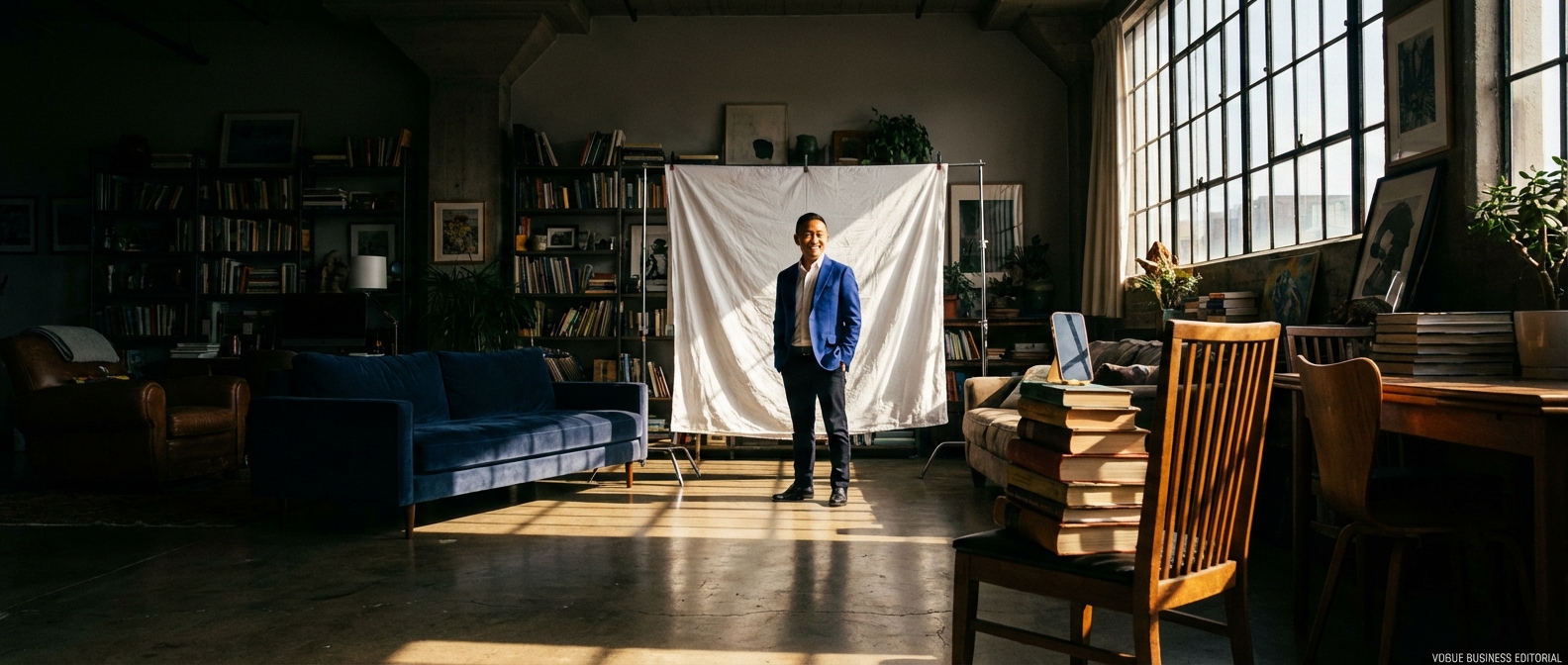
If your walls are busy or textured, hang a solid backdrop instead. A plain bedsheet, a folded piece of poster board, or a cheap fabric backdrop from an online marketplace all work fine. Iron out wrinkles first. A wrinkled sheet reads as sloppy no matter how good your lighting is.

Stand 3 to 4 feet away from the background. This distance does two things: it stops your shadow from falling on the wall behind you, and it creates a slight blur that separates you from the backdrop, similar to what a photographer achieves with a wide aperture lens.

Avoid bookshelves, cluttered rooms, mirrors, and reflective surfaces. They pull attention away from your face and can look unprofessional even if the rest of the shot is solid.

Your ideal background also depends on where the photo is going. LinkedIn tends to favor a slightly warmer or more approachable backdrop, while a corporate directory photo often calls for a more neutral, uniform look. Browse real examples to see how background choice shifts depending on the use case.

If setting up a backdrop at home feels like too much, skip it. Portreya's AI headshot generator builds a clean, studio-quality background automatically, starting at $4.99.
What Should You Wear for a Professional Headshot at Home?

Stick with solid colors. Busy patterns, stripes, and small checks distract from your face and can create a strobing effect on camera. Fitted clothing photographs better than baggy clothing, which reads as sloppy and adds bulk you don't have.

Avoid pure white or pure black, especially if your background is a similar shade. Pure white can blow out exposure under bright light, and pure black can lose all detail and merge into a dark backdrop. Choose colors that contrast with your background and complement your skin tone. A navy blazer against a light gray wall, for example, keeps you clearly separated from the backdrop.

Iron your clothes. Wrinkles show up clearly in a headshot, even from a few feet away. Skip logos, text, and busy graphics. Necklines matter too: crew necks and collared shirts photograph more cleanly than deep V-necks or turtlenecks that crowd the jaw.

Keep jewelry and accessories minimal. Grooming basics count as much as clothing: neat hair, trimmed facial hair, and no fresh sunburn or visible skincare products.

For a full breakdown by role, gender, and industry, see our wardrobe guide.

Create professional headshots with Portreya

Open a free account, upload a selfie, and pick your style.

Create your free account

How Do You Set Up Your Phone Camera and Angles?

Use your rear camera, not the front-facing one. The rear lens has a higher resolution sensor and captures far more detail, which matters when you're trying to look sharp and professional. Wipe the lens with a clean cloth first. Pocket lint and fingerprints cause soft, hazy shots that no amount of lighting will fix.

Turn on your camera's gridlines. Most phones have this under camera settings, and it helps you center your face and keep the horizon straight.

Skip handholding the phone. Any small shake blurs the shot, especially indoors where light is lower. Set your phone on a tripod, or stack a few books on a table or shelf to get the lens at eye level. Position it slightly above eye level rather than below. A low angle distorts your face and can look unflattering; a level or slightly downward angle reads as polished and natural.

Tap the screen to focus on your face, then hold your finger down to lock focus and exposure so it doesn't shift as you move.

Use the timer or a remote shutter, or ask someone to press the button for you. This keeps the phone completely still and lets you focus on your expression instead of your grip.

Shoot in your native camera app at full resolution. Avoid heavily filtered apps and skip digital zoom entirely. If you can't get close enough, move the tripod, not the zoom slider.

If the DIY setup still doesn't produce a shot you'd put on LinkedIn, Portreya's AI headshot generator can turn one decent photo into a polished, studio-quality result for $4.99.

How Do You Get a Natural Expression and Pose?

Relax your shoulders first. Most people tense up in front of a camera, and it shows. Drop your shoulders down and back, take a breath, and let your arms hang naturally at your sides.

Skip the straight-on mugshot stance. Angle your body about 45 degrees away from the camera, then turn your head back to face the lens directly. This creates a slimmer, more dynamic silhouette than squaring off head-on. Lean slightly forward from the waist toward the camera. This engages your posture and sharpens your jawline, keeping a double chin from creeping into frame. Tuck your chin slightly forward and down rather than tilting it up.

A genuine smile starts in your eyes, not your mouth. Think about something specific that makes you happy: a recent trip, your dog, an inside joke. Smiling with your eyes as well as your mouth avoids the flat, forced look that gives away a posed photo. If you're using a self-timer, talk out loud right before the shot triggers. Mid-sentence expressions often look more relaxed than a held pose.

Take volume seriously. Most people need 20 to 30 shots to land one or two genuinely good ones. Micro-adjust your head tilt and smile between shots, and shoot in bursts if your camera allows it.

For more angle and posing options, see our full posing guide. Or skip the trial and error entirely with Portreya's AI headshot generator, which handles posing automatically.

What Are the Most Common DIY Headshot Mistakes?

Even with good intentions, a few habits ruin most DIY headshots. Here's what to watch for.

Using the front-facing camera. It uses a lower-quality lens and often distorts your features. Switch to the rear camera every time.

Shooting too close. Standing within a foot or two of the lens warps your nose and forehead. Back up several feet and let the camera do the zooming (without digital zoom).

Harsh overhead lighting. Ceiling lights cast raccoon-eye shadows under your brows. Turn them off and rely on window light instead.

Cluttered or shadowed backgrounds. A messy bookshelf or a shadow-streaked wall distracts from your face. Move to a plain wall with even lighting.

Wrinkled or busy clothing. Creases and patterns show up more than you'd expect on camera. Iron your top and stick to solid colors.

Shooting from below eye level. Angling the camera up exaggerates your chin and nostrils. Mount your phone at or slightly above eye level.

Over-editing with heavy filters. Smoothing filters can make skin look plastic and unnatural. Skip filters entirely, or edit lightly for color and brightness only.

Inconsistent looks across platforms. A casual selfie on LinkedIn next to a formal photo on your resume looks unprofessional. Pick one polished image and use it everywhere.

If troubleshooting lighting, angles, and backgrounds feels like more effort than it's worth, an AI headshot generator skips the guesswork. Upload a few casual photos, and Portreya handles lighting, background, and composition automatically, starting at $4.99 for two photos.

DIY, AI, or Studio: Which Option Fits Your Situation?

Here's the honest breakdown of your three real options.

DIY at home costs nothing but your time. If you've got good natural light, a plain wall, and patience to shoot 20-30 frames, you can get a usable headshot. Results vary a lot with skill though. A slightly off angle or harsh window light can undo all your effort. DIY makes sense for casual use, internal profile photos, or when you're truly on a zero budget.

Professional studios give you the most control: a photographer adjusting light in real time, an assistant checking your collar, immediate feedback on posing. You'll pay for it. Sessions typically run $150 to $400 or more, and you need to schedule, travel, and often wait days for edited files. This is the right call if budget isn't a concern and you want the highest-touch experience, especially for executive portraits or print campaigns.

AI headshot generators sit between these two. With Portreya, you upload one clear selfie and get professional-looking results in under 60 seconds. No lighting setup, no scheduling, no travel. The Starter option is $4.99 for 2 photos, one-time purchase, no subscription, backed by a money-back guarantee. Compare that to a $150-400 studio session and the gap is obvious.

Simple framework: Choose DIY if you have strong natural light and time to experiment. Choose a studio if budget allows and you want maximum guidance. Choose AI if you want studio-style polish without the lighting headaches or the wait. Check Portreya pricing and try the generator yourself to see which category your needs fall into.

Next steps

A professional headshot at home is absolutely achievable if you nail the light, background, wardrobe, and camera angle, but expect to take dozens of shots before you land on the right one. That trial and error takes time, and not everyone has a free afternoon to experiment with window light and tripod angles.

If you want professional results without the DIY effort, Portreya offers a faster path. Upload a selfie, and its AI headshot generator delivers polished, studio quality images in under 60 seconds, starting at just $4.99. It is an easy way to skip the trial and error entirely.

Ready to get your new headshot? Set up your DIY shoot this weekend, or generate a professional AI headshot with Portreya in minutes and have it ready today.

Frequently Asked Questions

Can I take a professional headshot with just my phone at home?

Yes, with the right lighting, background, and camera angle, a modern smartphone can capture a great starting photo. For a truly polished, professional look, you can then use an AI tool like Portreya to transform that phone selfie into a studio-quality headshot in under 60 seconds.

What is the best lighting for a headshot without professional equipment?

Soft, even natural light works best. Stand facing a window during daytime so light hits your face directly, avoiding harsh shadows or backlighting. Avoid overhead lights, which can create unflattering shadows under your eyes and chin.

Do I need a photo editing app for a DIY headshot?

Basic editing apps can help with cropping and minor color correction, but they won't add professional lighting, attire, or backgrounds. Portreya skips manual editing entirely, using AI to generate polished, professional-quality headshots from a single selfie.

What background is acceptable for a LinkedIn headshot taken at home?

A plain, uncluttered wall in a neutral color like white, gray, or beige works best. Avoid busy backgrounds, bright colors, or personal items that distract from your face. Portreya lets you choose clean, professional backgrounds automatically, no wall required.

How far should I stand from the camera for a headshot?

Stand about 3 to 5 feet from your camera so your head and shoulders fill the frame without distortion. This distance avoids the wide-angle warping common in close-up phone selfies.

How does Portreya compare to taking my own headshot at home?

A DIY headshot depends on your lighting, camera, and editing skills, and results can vary. Portreya removes that guesswork: upload one selfie, and get professional, studio-quality headshots delivered in under 60 seconds, no equipment or expertise needed.

What do I get with the Portreya Starter package for $4.99?

The Starter package is $4.99 for 2 professional headshots from one clear selfie. It is a one-time purchase with a money-back guarantee, and results typically come back in under 60 seconds.

How long does it take to get AI headshots back from a single selfie?

With Portreya, you can get your professional AI headshots back in under 60 seconds, no scheduling, no waiting days for a photographer to deliver edited files.

Is there a money-back guarantee if I am not happy with my AI headshots?

Portreya stands behind the quality of its results. Check the current guarantee details on the Portreya pricing page, as policies may be updated over time.

Can I use my phone's front camera for a professional headshot?

Yes, but rear cameras typically capture sharper, higher-resolution images with less distortion. If you use the front camera, prop your phone at eye level and use a timer to avoid blur from holding it yourself.

How many photos should I take to get one good headshot?

Take at least 10 to 20 shots to have enough options to choose from. With Portreya, you only need one clear selfie, the AI generates multiple polished, professional variations for you.

What's the cheapest way to get a professional-looking headshot?

Traditional photography sessions typically run $150 to $400 and require scheduling. An affordable alternative is using an AI headshot generator like Portreya, which starts at just $4.99 and delivers studio-quality results in under 60 seconds.

How do AI headshot generators like Portreya work?

You upload a single selfie, and the AI analyzes your features to generate polished, professional headshots with studio-quality lighting, backgrounds, and attire, all without needing a camera setup or photographer.

Do I need professional lighting equipment for a DIY headshot?

No, natural window light is often enough for a solid starting photo. If you want professional lighting without buying gear, Portreya's AI adds studio-quality lighting automatically to your uploaded selfie.

How often should I update my professional headshot?

It's a good idea to refresh your headshot every 1 to 2 years, or whenever your appearance changes significantly. Since Portreya delivers new headshots in under 60 seconds, keeping your profile photo current is quick and effortless.

Frequently Asked Questions

Can I take a professional headshot with just my phone at home?+

Yes, with the right lighting, background, and camera angle, a modern smartphone can capture a great starting photo. For a truly polished, professional look, you can then use an AI tool like Portreya to transform that phone selfie into a studio-quality headshot in about 60 seconds.

What is the best lighting for a headshot without professional equipment?+

Soft, even natural light works best. Stand facing a window during daytime so light hits your face directly, avoiding harsh shadows or backlighting. Avoid overhead lights, which can create unflattering shadows under your eyes and chin.

Do I need a photo editing app for a DIY headshot?+

Basic editing apps can help with cropping and minor color correction, but they won't add professional lighting, attire, or backgrounds. Portreya skips manual editing entirely, using AI to generate polished, professional-quality headshots from a single selfie.

What background is acceptable for a LinkedIn headshot taken at home?+

A plain, uncluttered wall in a neutral color like white, gray, or beige works best. Avoid busy backgrounds, bright colors, or personal items that distract from your face. Portreya lets you choose clean, professional backgrounds automatically, no wall required.

How far should I stand from the camera for a headshot?+

Stand about 3 to 5 feet from your camera so your head and shoulders fill the frame without distortion. This distance avoids the wide-angle warping common in close-up phone selfies.

How does Portreya compare to taking my own headshot at home?+

A DIY headshot depends on your lighting, camera, and editing skills, and results can vary. Portreya removes that guesswork: upload one selfie, and get professional, studio-quality headshots delivered in about 60 seconds, no equipment or expertise needed.

What do I get with the Portreya Starter package for $4.99?+

The Starter package is $4.99 for 2 professional headshots from one clear selfie. It is a one-time purchase with a money-back guarantee, and results typically come back in under 60 seconds.

How long does it take to get AI headshots back from a single selfie?+

With Portreya, you can get your professional AI headshots back in about 60 seconds, no scheduling, no waiting days for a photographer to deliver edited files.

Is there a money-back guarantee if I am not happy with my AI headshots?+

Portreya stands behind the quality of its results. Check the current guarantee details on the Portreya pricing page, as policies may be updated over time.

Can I use my phone's front camera for a professional headshot?+

Yes, but rear cameras typically capture sharper, higher-resolution images with less distortion. If you use the front camera, prop your phone at eye level and use a timer to avoid blur from holding it yourself.

How many photos should I take to get one good headshot?+

Take at least 10 to 20 shots to have enough options to choose from. With Portreya, you only need one clear selfie, the AI generates multiple polished, professional variations for you.

What's the cheapest way to get a professional-looking headshot?+

Traditional photography sessions can be expensive and require scheduling. An affordable alternative is using an AI headshot generator like Portreya, which starts at just $4.99 and delivers studio-quality results in about 60 seconds.

How do AI headshot generators like Portreya work?+

You upload a single selfie, and the AI analyzes your features to generate polished, professional headshots with studio-quality lighting, backgrounds, and attire, all without needing a camera setup or photographer.

Do I need professional lighting equipment for a DIY headshot?+

No, natural window light is often enough for a solid starting photo. If you want guaranteed professional lighting without buying gear, Portreya's AI adds studio-quality lighting automatically to your uploaded selfie.

How often should I update my professional headshot?+

It's a good idea to refresh your headshot every 1 to 2 years, or whenever your appearance changes significantly. Since Portreya delivers new headshots in about 60 seconds, keeping your profile photo current is quick and effortless.

60 secondsto first AI headshots

Ready to get started with Portreya?

Generate professional AI headshots in 60 seconds.

Create your free account
Matthieu van Haperen

About the Author

Founder & CEO, Portreya

Matthieu van Haperen runs Portreya, where he helps individuals turn casual selfies into professional AI headshots. Before founding Portreya, he spent 6+ years building and scaling tech startups. He writes about professional photography, personal branding, and how AI is changing online portraits.

Connect on LinkedIn