Professional Headshots for Women: The Complete Style, Pose, and Cost Guide
TL;DR: Quick Answer
Solid colors, fitted layers, and matte makeup photograph cleaner than busy patterns or shine.
Studio photos often run $150-$500; Portreya Starter is $4.99 for two photos from one selfie in about 60 seconds.
Use a clean background, natural light or soft lamp, and an approachable expression that still feels like you.
Before a recruiter reads your resume, before a client hears your pitch, before an audience member sees you walk on stage, they see your headshot. On LinkedIn, on your company's "About" page, in a speaker bio or press kit, that single photo often is your first impression, doing the work of a handshake and an introduction rolled into one.
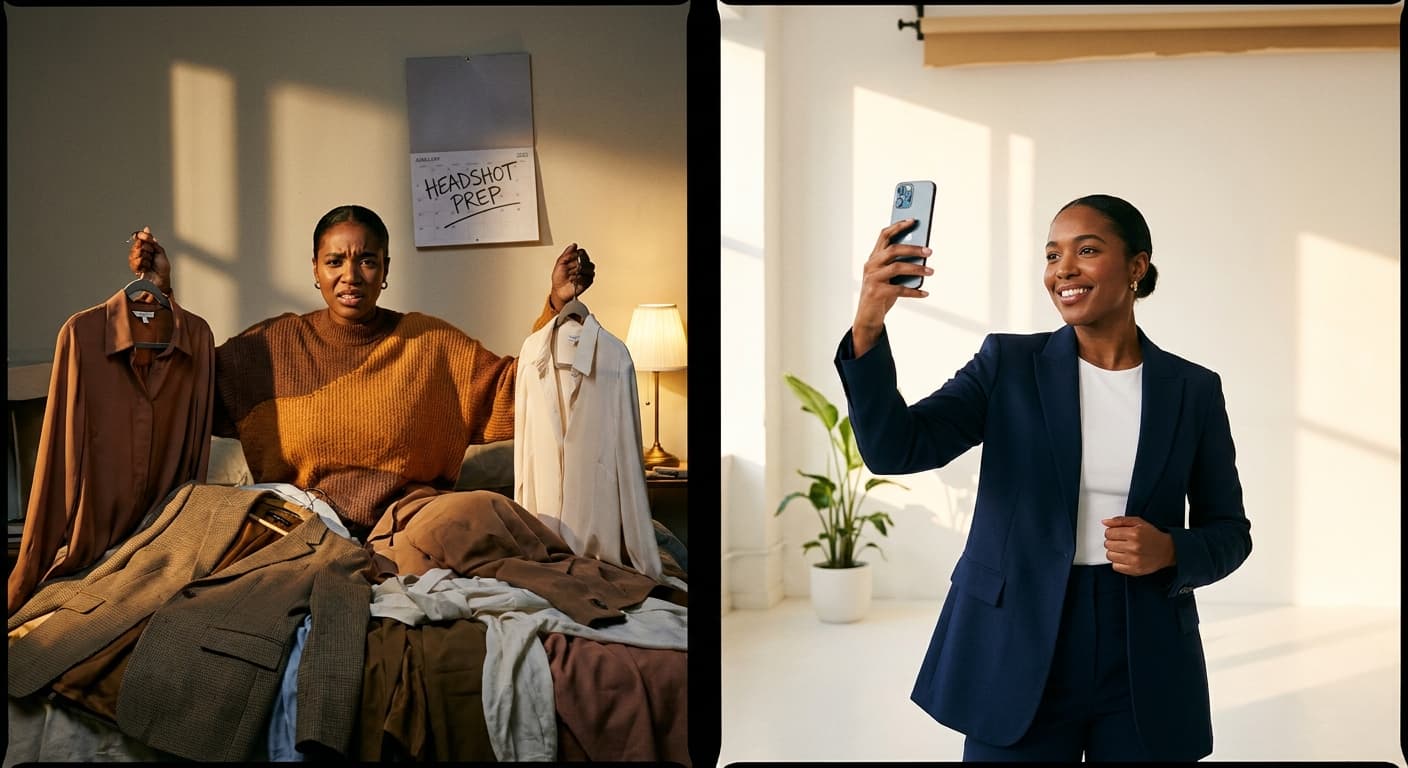
And yet, few things create more last-minute anxiety than getting ready for a headshot session. What should you wear? Is your hair going to photograph the way it looks in the mirror? How do you smile without looking stiff, or stand without your arms feeling awkward? Add in the newer question of whether you even need a photographer at all, now that AI-generated headshots exist, and it's easy to feel stuck before you've taken a single photo.
This guide walks through it all, step by step. You'll get practical guidance on choosing outfits and colors that photograph well, hair and makeup tips that hold up under studio lighting, posing and expression cues that help you look confident and approachable rather than posed and stiff, and a clear-eyed comparison of professional photography, DIY setups, and AI headshot tools, so you can choose the right option for your budget, timeline, and industry.
By the end, you'll know exactly how to prepare, what to expect, and how to walk away with a headshot that actually looks and feels like you, on your best day.
Why a Great Headshot Matters for Your Personal Brand
Your headshot is usually the first thing people see, not the last. Before a recruiter reads your resume, before a client scrolls through your bio, before an editor opens your pitch, they see your face on LinkedIn, on the company "About" page, in your email signature. That single image sets the tone for everything that follows.
For women professionals, this first impression carries real weight. A recruiter scanning LinkedIn profiles forms an instant read on professionalism and approachability before reading a single line of experience. A polished, well-lit, current photo signals that you take your work seriously. A blurry vacation crop, a photo from a decade ago, or an overly casual selfie signals the opposite, even if your résumé is flawless.
The difference between an outdated photo and a current one is bigger than most people expect. Hairstyles change. Career stages change. A headshot from your first job doesn't represent the person leading a team five years later. An updated photo tells clients and colleagues that you're active, current, and invested in how you present yourself now, not who you were then.
This matters across every kind of career path. Executives use headshots to project authority in leadership bios and speaker profiles. Job seekers use them to complete their LinkedIn profile and stand out in a search. Creatives and actors need a photo that reflects personality and range. Entrepreneurs and freelancers rely on their headshot to build client trust before a single conversation happens, it's often doing the work of a handshake and an introduction combined.
Consistency matters too. If your headshot doesn't match the tone of your bio, your website, or your industry, it creates friction. A finance executive in a casual snapshot reads as mismatched. A creative director in an overly stiff, corporate-style photo reads the same way. The best headshots feel aligned with the role and the person, polished but recognizably you.
None of this requires a studio budget or weeks of scheduling. A great headshot just needs good lighting, a clean background, and an expression that feels confident and approachable. That's the practical part this guide covers next: outfit choices, hair and makeup, posing tips, and how to actually get the photo, whether that's booking a photographer or generating one with an AI headshot generator. Either way, the goal is the same: a photo that makes people take you seriously before they've read a word.
What to Wear: Outfit and Styling Choices for a Professional Headshot
What you wear matters almost as much as your expression. The right outfit keeps attention on your face; the wrong one distracts, dates the photo, or clashes with your industry's expectations.
Color and Pattern
Solid colors photograph better than patterns. Busy prints, small checks, and tight stripes can shimmer or vibrate on camera, and they pull focus away from your face. Stick to solid or near-solid tops in colors that complement your skin tone: jewel tones (navy, burgundy, emerald) work well for most complexions, while stark white can wash out fair skin under bright lighting. Avoid colors that match your background too closely; a gray top against a gray backdrop makes you blend in rather than stand out.
Necklines and Layering
Necklines that sit close to the collarbone read as polished without looking stiff. A crew neck, V-neck, or button-down collar all work. Avoid necklines that are too low for a professional context or so high they look restrictive.
Layering adds polish and structure. A blazer over a blouse or fitted top gives shoulders definition and signals authority, especially useful for corporate, finance, or executive headshots. For creative fields, a single well-fitted top or a soft cardigan can feel more approachable while still looking intentional.
Jewelry and Accessories
Less is more. Small stud earrings, a thin necklace, or a simple watch add personality without competing with your face. Skip large statement pieces, dangling earrings, or anything reflective that could catch light oddly. Leave logos off entirely; a headshot with a visible brand name on a shirt looks unpolished, no matter how sharp the outfit otherwise is.
Fit and Tailoring
Fit matters more than price. A well-tailored blouse from a mid-range store will look sharper on camera than an expensive jacket that's too big in the shoulders. Camera lenses tend to add slight visual weight, so a slightly more fitted silhouette usually photographs better than a loose one. Get sleeves hemmed, check that buttons sit flat, and steam or iron everything the night before.
Matching Outfit to Industry
- Corporate and finance: Blazers, structured blouses, muted or jewel-tone colors. Minimal jewelry.
- Creative fields: More personality is welcome. A bold but solid color, an interesting texture, or a statement necklace can work if it stays subtle.
- Executive and leadership roles: Clean lines, tailored blazers, and neutral or deep colors project authority and consistency.
Pre-Shoot Checklist
- Bring 2 to 3 outfit options in different colors
- Choose solid colors over busy patterns
- Try on outfits beforehand to check fit and wrinkles
- Remove visible logos or brand names
- Pack minimal jewelry: small studs, thin necklace, simple watch
- Steam or iron clothing the night before
- Check that necklines and layering suit your industry
Hair and Makeup Tips That Photograph Well
Matte finishes beat shiny ones under studio or ring lighting. Powder or setting products cut shine on the forehead, nose, and chin, where light hits hardest. Skip products with shimmer or SPF-heavy formulas, both can reflect flash and create odd white patches or glare on camera.
Makeup for photos should read slightly stronger than your everyday look. Cameras and lighting tend to flatten features, so a bit more definition on brows, eyes, and lips helps your face hold its shape in a still image. This doesn't mean heavy makeup, just enough contrast that your features don't wash out under bright light. Fill in brows, add a light eyeliner or mascara, and choose a lip color with more pigment than you'd wear to the office.
If you prefer minimal or no makeup, that's a completely valid choice. Focus instead on skin prep: moisturize beforehand, use a mattifying primer on oily areas, and make sure skin looks healthy rather than styled. A bare-skin look photographs fine as long as shine is controlled and lighting is even, harsh overhead light will expose texture and redness more than soft, front-facing light will.
Hair should look intentional, not overworked. Avoid last-minute drastic cuts or color changes right before a shoot, give any change at least a week to settle so it looks natural, not fresh-off-the-chair. For flyaways, a small amount of pomade or hairspray on a comb keeps strands controlled without looking stiff. This applies across hair types and textures: curls need frizz control, straight hair needs anti-static spray, and updos need enough pins to survive several angles. Whatever your style, make sure it frames your face rather than covering it, ring lighting in particular can cast shadows if hair falls forward.
If you wear glasses, ask about anti-glare coating or tilt frames slightly downward to avoid reflections. Reflections in lenses are one of the most common headshot mistakes and can be hard to fix afterward.
A small touch-up kit is worth carrying to any shoot: blotting papers, a compact powder, a travel-size hairspray, and a lip color you can reapply quickly. Do hair and makeup as close to shoot time as possible, makeup applied hours earlier tends to fade or shift, and hair loses its shape faster than you'd expect, especially in humidity.
Good lighting matters just as much when you're applying makeup as when you're being photographed. Apply in daylight or under a lighting setup similar to what you'll be shot under; makeup that looks balanced under warm bathroom lighting can look uneven or too heavy in a studio setting.
None of this requires a professional makeup artist or stylist. If you'd rather skip the styling stress entirely, Portreya's AI headshot generator lets you upload photos as you already look and generates polished, studio-quality results without a live session, starting at $4.99 for two photos.
Create professional headshots with Portreya
Open a free account, upload a selfie, and pick your style.
Create your free accountPosing and Expression Tips for a Confident, Approachable Look
Your pose does more work than your outfit. A stiff, head-on stance reads as tense even in expensive clothes. Turn your body about 30-45 degrees from the camera, then rotate your face back toward the lens. This slight angle slims the frame and looks more natural than a full frontal shot.
Shoulders and posture matter more than people think. Drop your shoulders away from your ears, roll them back slightly, and lean your weight onto your back foot. This shifts your posture forward just enough to look engaged, not slouched. Standing with even weight on both feet often looks flat on camera.
Chin placement fixes most double-chin complaints. Extend your chin slightly forward and then tilt it down a small amount, like you're reaching toward the camera lens with your forehead leading. This elongates the neck and removes shadows under the jaw. Photographers call this the "turtle" move, and it feels awkward to do but looks natural in the photo.
Hands should have a job. If they're visible, rest one lightly on a hip, hold a jacket lapel, or clasp them loosely at waist height. Avoid stiff arms glued to your sides or a tight, tense grip. If you're only shooting from the chest up, don't worry about hands at all.
For expression, aim for genuine over posed. A forced smile shows in the eyes first. Think about something that actually makes you happy, a person, a memory, a joke, right before the shutter clicks. For a confident neutral look, soften your jaw and let your eyes stay warm even if your mouth stays closed. Practicing in a mirror beforehand helps you find your best angle before you're in front of a camera or lens.
Shoot more variations than you think you need. Take multiple shots at slightly different angles, chin heights, and smile intensities. The best photo is often the one taken between poses, when you're resetting or reacting to something, not the one where you're holding a fixed expression. If you're shooting solo, use a phone timer or tripod and take a burst of 10-15 shots per setup rather than one or two.
Posing priorities shift by use case. For LinkedIn, a warmer, closer-cropped, slightly smiling shot performs best since it's the first thing recruiters and connections see. For executive or corporate headshots, a straighter shoulder line and more neutral, authoritative expression fits the tone. For acting headshots, expression range matters more than polish, casting directors want to see your face do something specific, so plan for multiple distinct expressions rather than one safe option.
If coordinating angles, lighting, and expression solo feels like a lot to manage, an AI headshot generator removes that pressure. You upload photos once, and the tool generates multiple polished variations, different angles, expressions, and backgrounds, without you having to nail the perfect pose in real time. Portreya's Essential package delivers 10 photos for $27.49, giving you the variety a photo session would take hours to produce.
Photographer, DIY, or AI Headshots: Costs, Timelines, and Mistakes to Avoid
Three paths lead to a professional headshot: a photographer, a DIY smartphone setup, or an AI headshot generator. Each has a real place. Here's how they actually compare.
Hiring a photographer gets you hands-on styling and posing guidance in real time. A standard session typically runs $150 to $350, with premium or branded shoots reaching $700 to $2,000+. Turnaround is usually a few days to two weeks, depending on editing and how many rounds of revisions you need. This is a solid choice for executive branding or a corporate bio page where budget isn't the main constraint.
DIY smartphone headshots cost nothing but your time. You'll need natural light, a tripod or a helper, a plain background, and basic editing skills. It's realistic for a quick LinkedIn refresh, but harder to nail lighting, angles, and background all at once without help. Expect a range of usable-to-unusable results in the same batch.
AI headshot generators sit in the middle. You upload existing selfies, and the tool generates a batch of polished images, typically in the $20 to $79 range, with results in minutes rather than weeks. Portreya's individual plans run $4.99 for 2 photos, $27.49 for 10 photos, or $29.99 for 15 photos, all delivered without scheduling a session or driving to a studio. The tradeoff: quality depends heavily on your source photos, and results can occasionally look inconsistent if your uploads vary in lighting or angle. Feeding it clear, well-lit selfies makes a real difference.
Choosing based on your situation
- LinkedIn refresh: AI headshots or a solid DIY setup both work. Speed matters more than perfection here.
- Corporate bio or team page: A photographer gives more consistency across a group, but an AI generator like Portreya's AI headshot generator works well if you're updating a solo profile and need something professional-looking fast.
- Executive branding: If you have the budget and timeline, a photographer's tailored approach still has an edge for high-stakes, highly customized shoots.
Common mistakes to avoid
- Outdated photos. If your headshot is from a different job, hairstyle, or decade, it undercuts your credibility before anyone reads your bio. Update at least every one to two years, or sooner after a major style change.
- Poor lighting. Harsh overhead light or dim rooms create shadows and uneven skin tone. Face a window with soft, indirect daylight instead.
- Distracting backgrounds. Cluttered bookshelves or busy walls pull attention away from your face. A plain wall or blurred neutral background keeps focus where it belongs.
- Over-editing. Heavy retouching that smooths skin unnaturally or changes facial structure reads as fake fast. Aim for polished, not plastic.
- Wrong outfit choice. Skip busy patterns and logos; stick with solid colors and fitted silhouettes that photograph cleanly.
- Rushing the shoot. One quick photo rarely captures your best angle or expression. Take multiple variations, whether you're working with a photographer, a tripod, or an AI batch, so you have options to choose from.
Next steps
A polished headshot comes down to simple, controllable choices: solid-color outfits that photograph well, natural hair and makeup, a confident and approachable pose, and a creation method that fits your budget and timeline. Getting these details right pays off every time someone views your LinkedIn profile, resume, or professional bio.
If booking a studio session isn't practical right now, try Portreya for a fast, affordable AI headshot that applies these same styling principles automatically, professional results in minutes, no photographer required.
Frequently Asked Questions
How much do professional headshots for women typically cost?
Traditional studio headshots for women typically range from $150 to $500 per session, depending on location and photographer experience, according to The Balance. With Portreya, you get studio-quality results without the studio price, professional headshots for a fraction of the cost.
What should women wear for a professional headshot?
Solid colors work best, avoid busy patterns or logos that distract from your face. Choose colors that complement your skin tone, and stick to professional attire that matches your industry. Simple jewelry and a clean, polished look help keep the focus on you, not your outfit.
How long does it take to get professional headshots done?
A traditional photographer session can take weeks between booking, shooting, and receiving edited photos. Portreya skips the scheduling entirely, upload your photo and get polished, professional headshots in about 60 seconds.
Can I get professional-looking headshots without hiring a photographer?
Yes. With AI-powered tools like Portreya, you can get professional headshots without the professional price or the hassle of booking a photographer. Just upload a photo and get a polished result instantly, giving you more control over your final look.
How often should I update my professional headshot?
It's a good idea to refresh your professional headshot every 1-2 years, or whenever your appearance changes significantly. Keeping your photo current helps you make the right first impression on LinkedIn and other professional platforms.
How do AI headshot services like Portreya compare to a traditional photo shoot?
Traditional photo shoots require scheduling, travel, and waiting weeks for edited results, often at a high price. Portreya delivers professional, polished headshots in under a minute, giving you more control over your final result and faster delivery than other AI options.
How much does a professional headshot cost for women?
Studio sessions typically cost between $150 and $500, according to The Balance. Portreya offers an affordable alternative, professional headshots without the studio price, delivered instantly.
Can AI headshots look as good as photographer headshots?
Yes. AI headshot tools like Portreya use advanced technology to produce studio-quality, polished results that rival traditional photography, without the wait or expense of a professional session.
What is the best background for a professional headshot?
Neutral, uncluttered backgrounds work best for professional headshots, think soft grays, blues, or subtle office-style backdrops. A clean background keeps the focus on you and looks polished across LinkedIn, resumes, and professional profiles.
Frequently Asked Questions
How much do professional headshots for women typically cost?+
Traditional studio headshots for women typically range from $150 to $500 per session, depending on location and photographer experience, according to [The Balance](https://www.thebalancemoney.com/). With Portreya, you get studio-quality results without the studio price—professional headshots in under a minute for a fraction of the cost.
What should women wear for a professional headshot?+
Solid colors work best—avoid busy patterns or logos that distract from your face. Choose colors that complement your skin tone, and stick to professional attire that matches your industry. Simple jewelry and a clean, polished look help keep the focus on you, not your outfit.
How long does it take to get professional headshots done?+
A traditional photographer session can take weeks between booking, shooting, and receiving edited photos. Portreya skips the scheduling entirely—upload your photo and get polished, professional headshots in about 60 seconds.
Can I get professional-looking headshots without hiring a photographer?+
Yes. With AI-powered tools like Portreya, you can get professional headshots without the professional price or the hassle of booking a photographer. Just upload a photo and get a polished result instantly, giving you more control over your final look.
How often should I update my professional headshot?+
It's a good idea to refresh your professional headshot every 1-2 years, or whenever your appearance changes significantly. Keeping your photo current helps you make the right first impression on LinkedIn and other professional platforms.
How do AI headshot services like Portreya compare to a traditional photo shoot?+
Traditional photo shoots require scheduling, travel, and waiting weeks for edited results—often at a high price. Portreya delivers professional, polished headshots in under a minute, giving you more control over your final result and faster delivery than other AI options.
How much does a professional headshot cost for women?+
Studio sessions typically cost between $150 and $500, according to [The Balance](https://www.thebalancemoney.com/). Portreya offers an affordable alternative—professional headshots without the studio price, delivered instantly.
Can AI headshots look as good as photographer headshots?+
Yes. AI headshot tools like Portreya use advanced technology to produce studio-quality, polished results that rival traditional photography—without the wait or expense of a professional session.
What is the best background for a professional headshot?+
Neutral, uncluttered backgrounds work best for professional headshots—think soft grays, blues, or subtle office-style backdrops. A clean background keeps the focus on you and looks polished across LinkedIn, resumes, and professional profiles.
Ready to get started with Portreya?
Generate professional AI headshots in 60 seconds.
Create your free account
About the Author
Founder & CEO, Portreya
Matthieu van Haperen runs Portreya, where he helps individuals turn casual selfies into professional AI headshots. Before founding Portreya, he spent 6+ years building and scaling tech startups. He writes about professional photography, personal branding, and how AI is changing online portraits.
Connect on LinkedIn →