Professional Headshots for Men: The Complete Guide to Attire, Lighting, and Choosing the Right Option
TL;DR: Quick Answer
Solid colors, fitted layers, and a clean background photograph cleaner than busy patterns.
Studio sessions often run $150-$500; Portreya Starter is $4.99 for two photos from one selfie in about 60 seconds.
Face soft light, keep the background simple, and use a natural expression that still looks like you.
A recruiter spends about 7 seconds scanning your profile picture before deciding if you're worth a second look, and a blurry selfie or outdated photo can tank that first impression instantly. For men navigating job searches, LinkedIn networking, or personal branding, a weak headshot is a silent career killer.
This guide breaks down exactly what separates a forgettable photo from one that commands trust and credibility. You'll learn what makes a headshot effective, how to dress and groom for the camera, which backgrounds and lighting setups work best, and the posing mistakes that instantly signal "amateur."
Finally, we'll compare DIY shoots, professional studios, and AI headshot generators, so you can confidently choose the option that fits your budget, timeline, and career goals.
What Makes a Professional Headshot Effective
A strong headshot comes down to five things: sharp eye focus, even lighting, a clean background, correct framing, and a genuine expression. Miss any one of these, and the photo reads as a casual snapshot no matter how nice the shirt is.
Eyes need to be the sharpest point in the frame. Soft, tired eyes undercut everything else. Lighting should be flattering and even, no harsh shadows carving up one side of your face. The background should stay simple: a solid color or softly blurred setting, never a cluttered room or a car dashboard.
Framing matters too. Head-and-shoulders works for LinkedIn and corporate bios. Chest-up gives a bit more room and suits dating profiles or personal branding shots. Pick the crop that matches where the photo will live.
Expression is where most photos fail. Professional doesn't mean stiff or stone-faced, it means approachable and trustworthy. A relaxed half-smile and direct eye contact beat a forced grin every time.
None of this requires expensive gear. It requires technical consistency and authenticity, which is exactly what an AI headshot generator is built to deliver on demand.
Attire & Grooming Tips
Clothing matters more than most men expect. Solid colors read best on camera, navy, charcoal, and slate blue photograph cleanly, while busy patterns and small checks can create distracting moiré effects. Skip logos entirely. Avoid pure white or pure black shirts too; both can confuse camera lighting, blowing out highlights or crushing shadows. A well-fitted blazer with a collared shirt underneath works for most industries, and everything should be ironed, wrinkles show up more than people think.
Grooming is just as important as clothing. Get a haircut three to five days before your photo, not the same day, fresh cuts can look too sharp or uneven. Trim facial hair cleanly or shave fully; patchy stubble reads as careless. Blot shine off your forehead and nose, trim stray eyebrow and nose hair, and clean your nails if your hands will be visible.
Skip loud ties, sunglasses, and hats, they date a photo fast and hide your face. A tie is optional depending on your field.
Industry shifts the formula slightly. Finance, law, and consulting call for suits and ties. Tech, startups, and creative fields lean toward open-collar shirts or quality sweaters. Not sure what fits your role? Check headshots by profession for field-specific examples, or skip the wardrobe math altogether and let Portreya's AI headshot generator style you appropriately for $4.99.
Background, Lighting & Posing Tips
Background: Keep it simple. A plain grey, blue, or neutral backdrop works for almost every industry. If you're shooting outdoors or in an office, a softly blurred background still reads as professional as long as it's free of clutter, signage, or logos. Anything busy in the frame competes with your face, and your face should win.
Lighting: Soft, diffused light is the goal. Position your main light source at roughly a 45-degree angle to your face, this mimics natural studio lighting and avoids flat, shadowless shots or harsh, overexposed patches. Skip direct overhead lighting (it casts shadows under the eyes) and never shoot with a window or bright light directly behind you, which turns your face into a silhouette.
Shooting at home? Face a window with natural daylight instead of standing with your back to it. Midday, indirect light is your friend; harsh afternoon sun is not. A white sheet or curtain can diffuse strong light if needed.
Posing: Angle your shoulders slightly instead of facing the camera square-on. Bring your chin slightly forward and down to avoid a double-chin effect. Keep your jaw relaxed, shift your weight naturally onto one leg, and aim your eyes level with or just above the lens for a confident look.
Nailing all three takes practice, or you can skip straight to Portreya's AI headshot generator and get studio-quality lighting and posing applied automatically.
Common Mistakes to Avoid
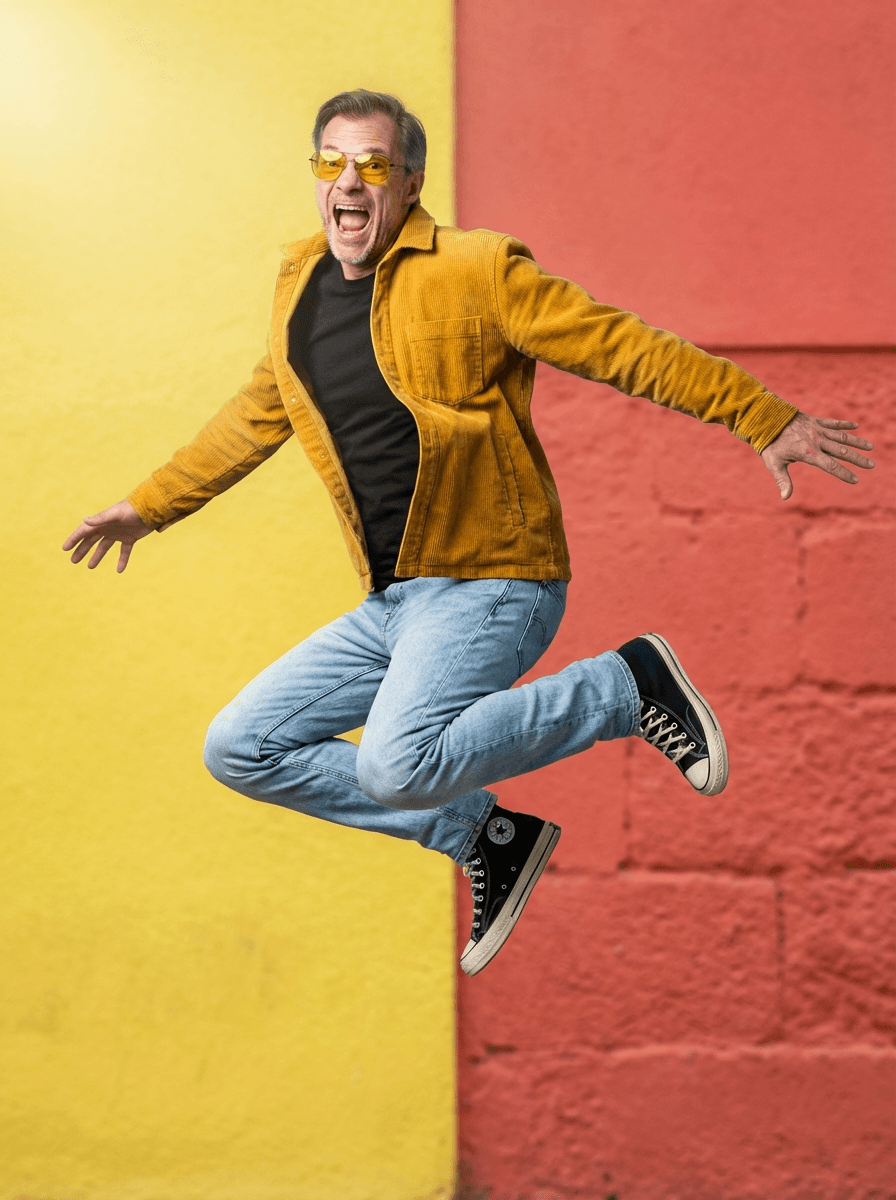
Even good-looking men make headshot mistakes that quietly undercut their credibility. Here's a quick-scan checklist.
Outdated photos. If your headshot is more than two or three years old, update it. Recruiters notice when you look different in person than online.
Blurry or low-resolution images. A cropped phone photo or old profile pic reads as careless. Use a sharp, high-resolution shot every time.
Cluttered backgrounds. Busy offices, visible logos, or random signage pull focus from your face. Stick to a plain, neutral backdrop.
Harsh lighting. Overhead flash creates shadows under the eyes; direct sun washes out skin tone. Soft, even light fixes both.
Mismatched attire. A t-shirt might work for a casual app, but not for LinkedIn. Match your clothing to the platform.
Over-editing. Heavy filters or skin smoothing look unnatural and erode trust fast.
Stiff expressions. Forced smiles or a blank stare feel cold. Aim for relaxed and approachable.
Inconsistent photos across platforms. Use the same current headshot everywhere.
Portreya's AI headshot generator sidesteps most of these issues automatically, delivering sharp, well-lit, on-platform results in under a minute.
Create professional headshots with Portreya
Open a free account, upload a selfie, and pick your style.
Create your free accountDIY vs Studio vs AI Headshot Generators
Once your outfit and lighting are sorted, the next decision is how you actually capture the shot. Three routes work, each with real tradeoffs.
DIY at home costs almost nothing. A smartphone, a window for natural light, and a tripod can produce a usable headshot. You control every detail, timing, retakes, wardrobe changes. The catch: nailing even lighting, a clean background, and a natural expression alone is harder than it looks. Most DIY attempts need several rounds before one shot is truly usable.
Studio photography delivers the highest, most consistent quality. A photographer manages lighting, posing, and retouching, and you leave with a guaranteed usable image. The tradeoff is cost and time: sessions typically run $150 to $400 per person, plus scheduling a shoot, traveling to a studio, and waiting days or weeks for edited files.
AI headshot generators sit between the two. Tools like Portreya turn existing photos into polished headshots in about 60 seconds, no camera or studio needed. You upload a handful of selfies, choose a style, and get multiple professional-looking outputs, often across different backgrounds and outfits, for a fraction of studio pricing. Portreya's plans run $4.99 for two photos up to $29.99 for fifteen. The limitation: results depend on the quality of your source photos, and some formal or compliance-driven settings may still call for a traditional session.
For LinkedIn, a personal site, or a quick professional refresh, AI generation offers the best balance of cost, speed, and control. See the AI headshot generator for details, or check Portreya pricing to compare plans directly.
How to Choose the Best Option
Start with three questions: What's your budget? How fast do you need photos? What are they for?
If you need a polished LinkedIn photo or job application headshot today, and you're watching your budget, an AI generator is the practical choice. Upload a few clear selfies to Portreya's AI headshot generator, pick a style, and get results in about 60 seconds. Plans run $4.99 for 2 photos up to $29.99 for 15, so you can test several looks - suit vs. casual, different backgrounds - without booking multiple sessions.
If this is for an executive bio page, a law firm directory, or printed marketing materials, book a photographer. High-stakes corporate branding benefits from the control and consistency a studio session provides, even at $150-$400 per person.
DIY works only as a stopgap. It's fine for an urgent update, but treat it as temporary.
One more factor: how often you'll need updates. If you refresh your look yearly, an AI tool makes repeat sessions painless. Ready to see your options? Try a few styles and compare.
Next steps
A polished headshot ultimately comes down to three things: sharp, well-fitted attire and grooming, clean lighting and background, and picking a method that matches your timeline and budget. Studio sessions deliver reliable quality but cost more and require scheduling, while DIY setups demand gear and patience many men don't have.
If you want professional-grade results without booking a photographer or setting up lights at home, try Portreya. Upload a few selfies, and its AI headshot generator produces polished, business-ready portraits in minutes, an affordable, fast alternative for LinkedIn, resumes, or company profiles.
Frequently Asked Questions
How much does a professional headshot cost for men?
Traditional studio headshots for men typically range from $150 to $500 per session, depending on location and photographer experience. With Portreya, you get professional, polished results without the studio price, often for a fraction of the cost.
What should men wear for a LinkedIn headshot?
Solid, neutral colors like navy, gray, or charcoal work best and photograph well. Avoid busy patterns or logos. A well-fitted collared shirt or blazer projects confidence and polish, while simple accessories keep the focus on your face.
Can I take a professional headshot with just my phone?
Yes, but lighting and background matter a lot. Natural light, a plain backdrop, and a steady hand (or tripod) help. For a polished, studio-quality result without the guesswork, Portreya can transform your phone photos into professional headshots in under a minute.
How often should men update their professional headshot?
A good rule of thumb is every 1-2 years, or sooner if your appearance changes significantly (new haircut, weight change, or facial hair). Keeping your headshot current helps maintain a strong, accurate first impression.
What's the best background color for a men's professional headshot?
Neutral tones like light gray, soft blue, or white are safe, versatile choices that keep attention on your face. Avoid busy or brightly colored backgrounds that can distract from a polished, professional look.
How does an AI headshot generator like Portreya compare to booking a photo studio?
Booking a studio means scheduling, waiting, and paying premium rates for a single session. Portreya skips all that, upload your photos and get professional, polished headshots in under a minute, with more control over your final result and no appointment required.
How fast can I get a professional headshot using Portreya?
With Portreya, you can get a polished, professional headshot in about 60 seconds. Just upload a few photos, and the tool generates studio-quality results instantly, no scheduling or waiting required.
Do AI-generated headshots look realistic enough for LinkedIn and corporate profiles?
Yes. Modern AI headshot tools like Portreya produce natural, professional-looking portraits that are indistinguishable from traditional studio photos, making them well-suited for LinkedIn, resumes, and other professional profiles.
What photos do I need to upload to get a good result from an AI headshot tool?
For best results, upload a handful of clear, well-lit photos showing your face from different angles. Avoid heavy filters, sunglasses, or group photos, Portreya works best with straightforward, recent images of just you.
How often should men update their professional headshot?
Update your headshot every 1-2 years or whenever your look changes noticeably. A refreshed, current photo keeps your professional profile accurate and polished.
What should men wear for a professional headshot on a budget?
A simple collared shirt or blazer in a solid, neutral color works well and doesn't require expensive clothing. Focus on fit and cleanliness, these matter more than brand names for a polished, professional look.
Are AI-generated headshots good enough for LinkedIn?
Absolutely. AI-generated headshots from tools like Portreya are designed to look professional and polished, making them a strong choice for LinkedIn profiles, resumes, and other professional platforms.
How much does a professional headshot cost for men?
Traditional photographer sessions can cost $150-$500, depending on your location and the photographer's experience. Portreya offers professional, polished headshots without the studio price, delivering quality results affordably and instantly.
Should men smile in a professional headshot?
A relaxed, confident smile often works best, it appears approachable without being overly casual. The right expression depends on your industry, but a natural, genuine smile is generally a safe, effective choice.
Frequently Asked Questions
How much does a professional headshot cost for men?+
Traditional studio headshots for men typically range from $150 to $500 per session, depending on location and photographer experience. With Portreya, you get professional, polished results without the studio price, often for a fraction of the cost.
What should men wear for a LinkedIn headshot?+
Solid, neutral colors like navy, gray, or charcoal work best and photograph well. Avoid busy patterns or logos. A well-fitted collared shirt or blazer projects confidence and polish, while simple accessories keep the focus on your face.
Can I take a professional headshot with just my phone?+
Yes, but lighting and background matter a lot. Natural light, a plain backdrop, and a steady hand (or tripod) help. For a polished, studio-quality result without the guesswork, Portreya can transform your phone photos into professional headshots in under a minute.
How often should men update their professional headshot?+
A good rule of thumb is every 1-2 years, or sooner if your appearance changes significantly (new haircut, weight change, or facial hair). Keeping your headshot current helps maintain a strong, accurate first impression.
What's the best background color for a men's professional headshot?+
Neutral tones like light gray, soft blue, or white are safe, versatile choices that keep attention on your face. Avoid busy or brightly colored backgrounds that can distract from a polished, professional look.
How does an AI headshot generator like Portreya compare to booking a photo studio?+
Booking a studio means scheduling, waiting, and paying premium rates for a single session. Portreya skips all that, upload your photos and get professional, polished headshots in under a minute, with more control over your final result and no appointment required.
How fast can I get a professional headshot using Portreya?+
With Portreya, you can get a polished, professional headshot in about 60 seconds. Just upload a few photos, and the tool generates studio-quality results instantly, no scheduling or waiting required.
Do AI-generated headshots look realistic enough for LinkedIn and corporate profiles?+
Yes. Modern AI headshot tools like Portreya produce natural, professional-looking portraits that are indistinguishable from traditional studio photos, making them well-suited for LinkedIn, resumes, and other professional profiles.
What photos do I need to upload to get a good result from an AI headshot tool?+
For best results, upload a handful of clear, well-lit photos showing your face from different angles. Avoid heavy filters, sunglasses, or group photos, Portreya works best with straightforward, recent images of just you.
How often should men update their professional headshot?+
Update your headshot every 1-2 years or whenever your look changes noticeably. A refreshed, current photo keeps your professional profile accurate and polished.
What should men wear for a professional headshot on a budget?+
A simple collared shirt or blazer in a solid, neutral color works well and doesn't require expensive clothing. Focus on fit and cleanliness, these matter more than brand names for a polished, professional look.
Are AI-generated headshots good enough for LinkedIn?+
Absolutely. AI-generated headshots from tools like Portreya are designed to look professional and polished, making them a strong choice for LinkedIn profiles, resumes, and other professional platforms.
How much does a professional headshot cost for men?+
Traditional photographer sessions can cost $150-$500, depending on your location and the photographer's experience. Portreya offers professional, polished headshots without the studio price, delivering quality results affordably and instantly.
Should men smile in a professional headshot?+
A relaxed, confident smile often works best, it appears approachable without being overly casual. The right expression depends on your industry, but a natural, genuine smile is generally a safe, effective choice.
Ready to get started with Portreya?
Generate professional AI headshots in 60 seconds.
Create your free account
About the Author
Founder & CEO, Portreya
Matthieu van Haperen runs Portreya, where he helps individuals turn casual selfies into professional AI headshots. Before founding Portreya, he spent 6+ years building and scaling tech startups. He writes about professional photography, personal branding, and how AI is changing online portraits.
Connect on LinkedIn →