Headshot backgrounds: 10 styles and when to pick each
The background of a headshot does more work than people realize. The same face on a neutral studio gray reads as recruiter-ready LinkedIn; on a dark executive studio it reads as C-suite board-page; on a warm outdoor blur it reads as approachable real estate agent. Pick the background that matches where the photo will be used.
Every example below is the same person, generated by Portreya, with only the background style changed. Use the gallery to test which context fits your role.
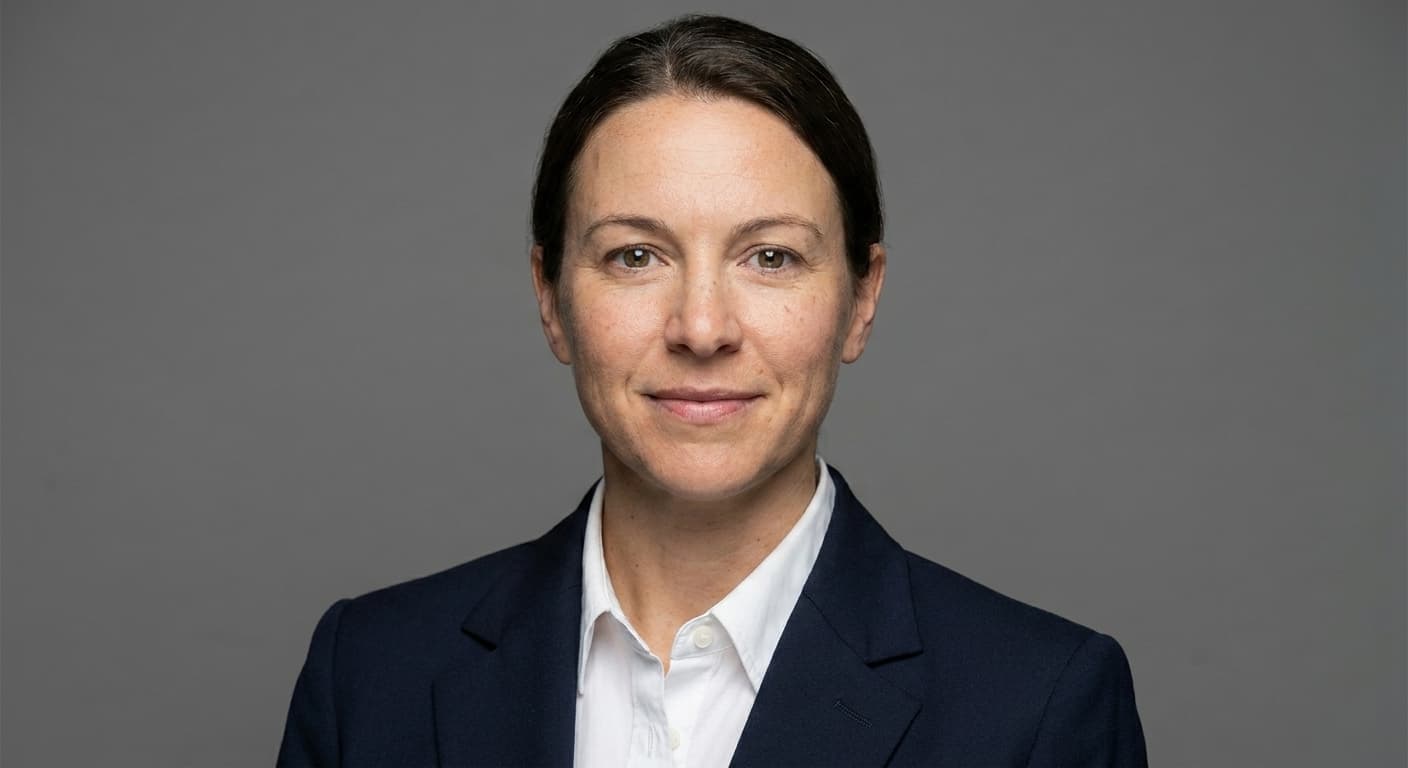
Neutral studio gray
When to pick: The safe LinkedIn default. Reads correctly in both light and dark mode.
Use cases: LinkedIn, recruiter outreach, professional directories.
Portreya preset: Neutral studio gray
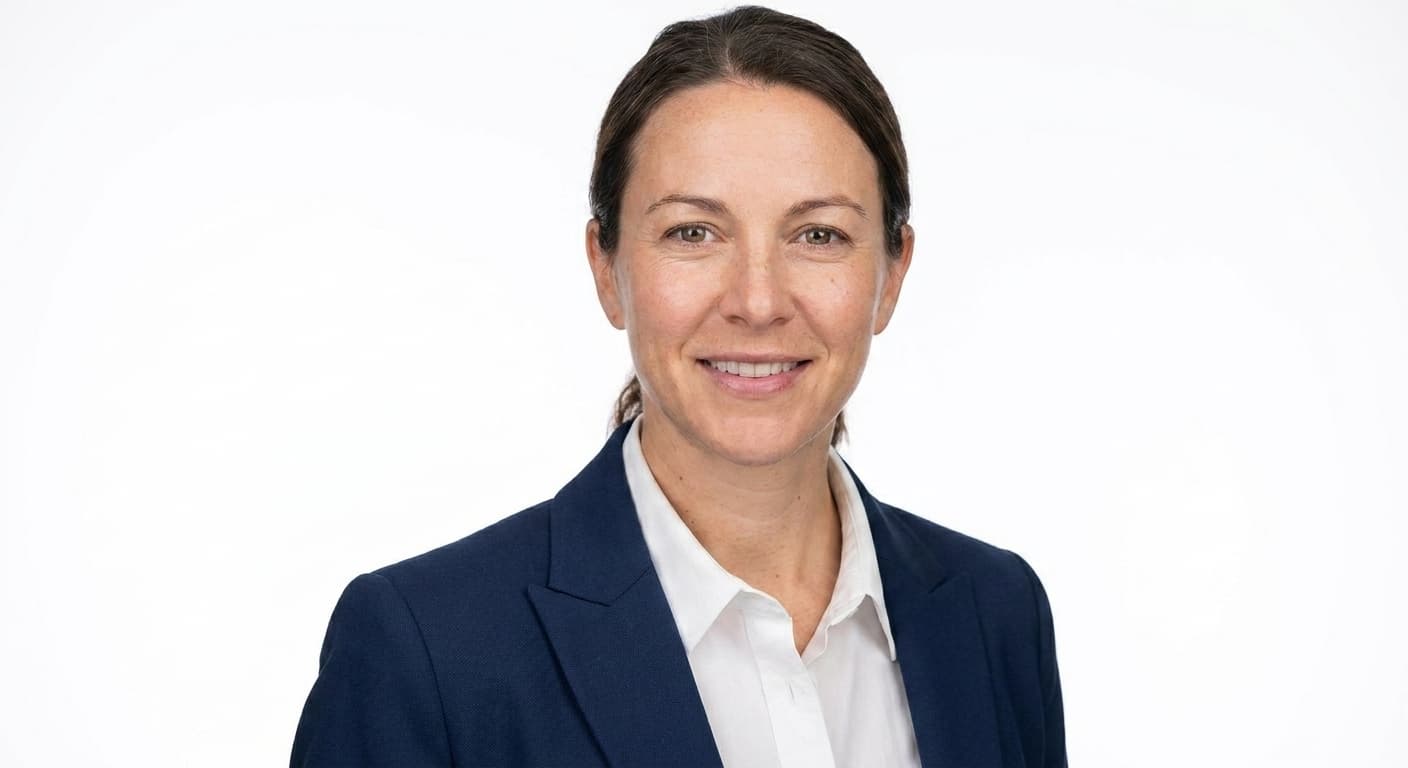
White seamless
When to pick: Classic editorial look. Best for press kits and printed materials.
Use cases: Press kits, book jackets, magazine bios, brand websites.
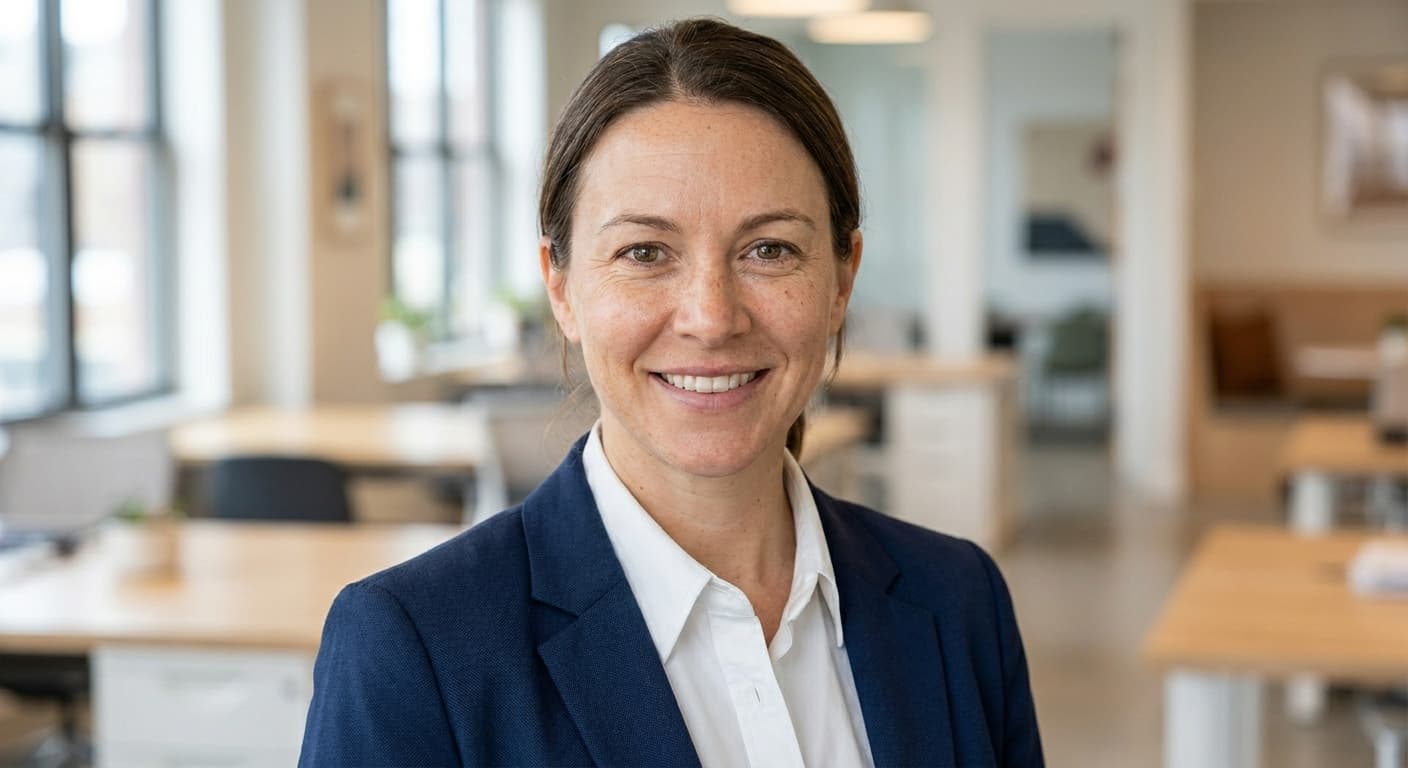
Modern office (out of focus)
When to pick: Adds professional context without being a posed corporate shot.
Use cases: Company about pages, sales bios, consultant profiles.
Portreya preset: Modern office (out of focus)
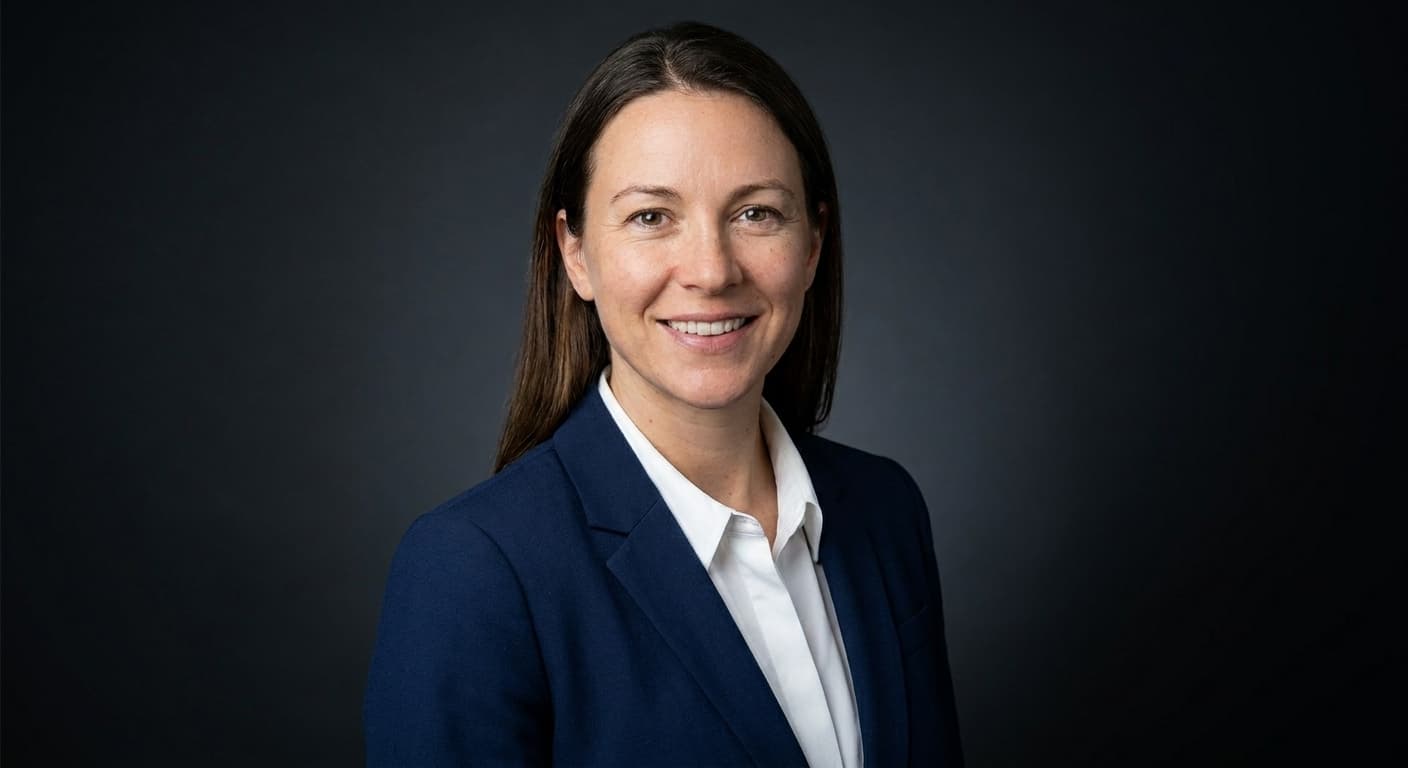
Executive dark studio
When to pick: Formal, premium, authoritative. The C-suite / board-page look.
Use cases: Annual reports, board profile pages, executive bios, finance.
Portreya preset: Executive dark studio
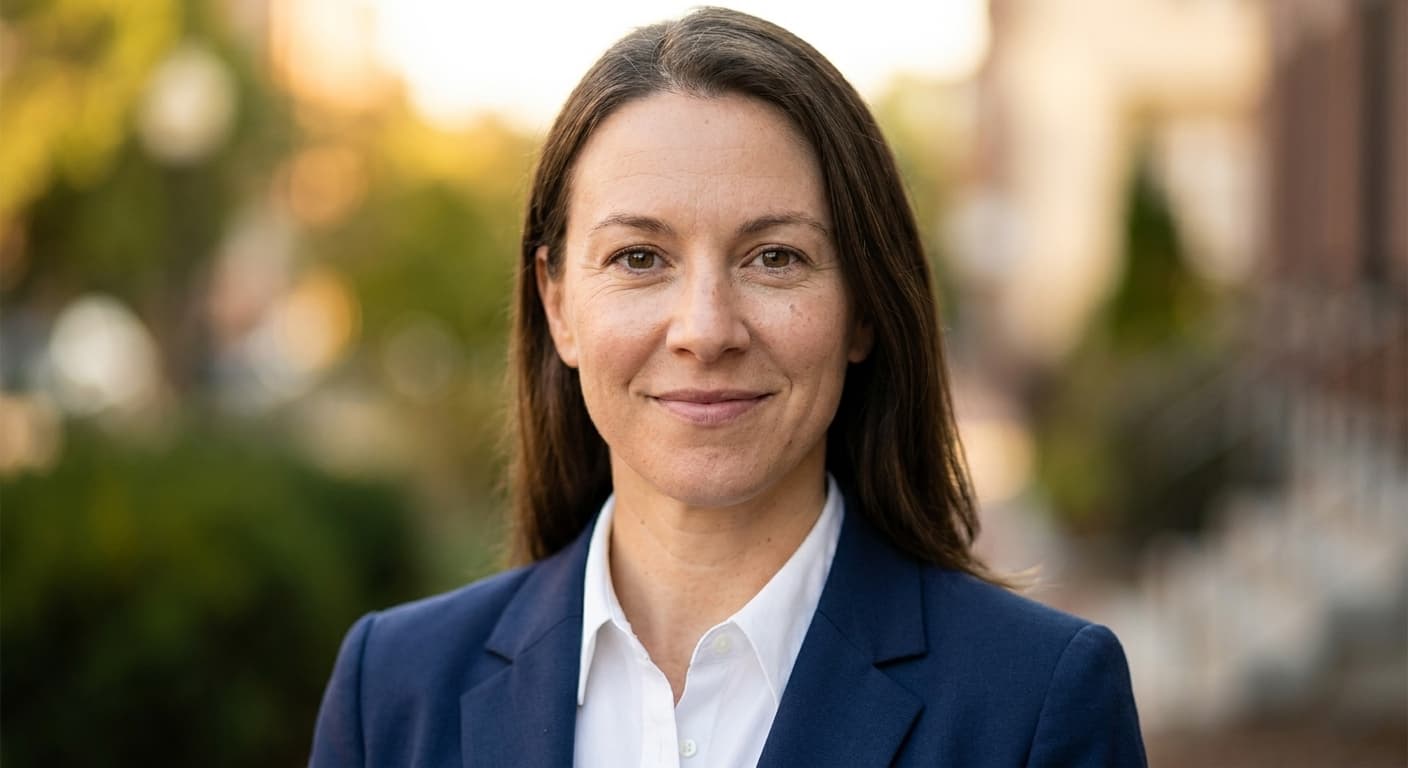
Blurred outdoor (natural light)
When to pick: Approachable, warm, real-world. Works for client-facing roles.
Use cases: Real estate agents, therapists, life coaches, salespeople.
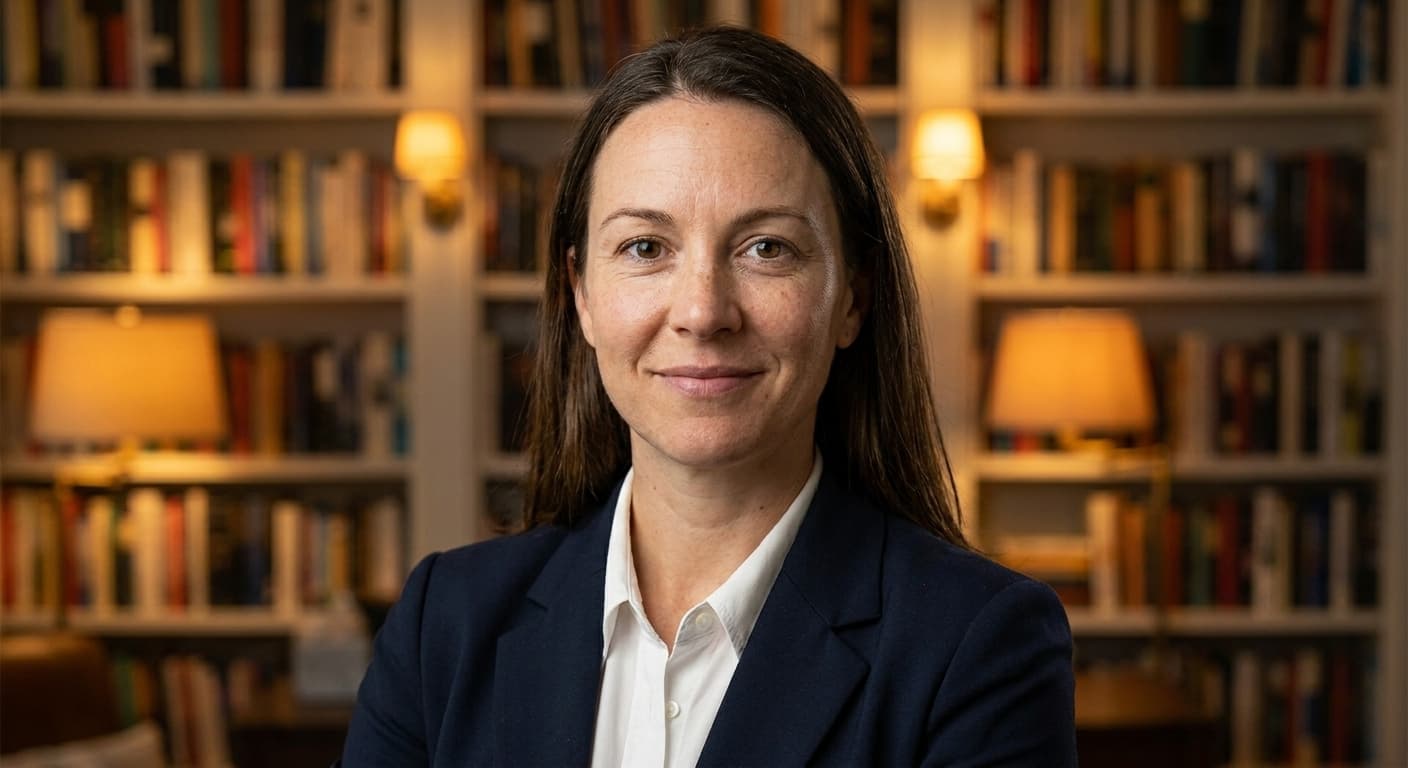
Library / bookshelves (warm)
When to pick: Academic, thoughtful, well-read. Signals expertise and knowledge.
Use cases: Authors, professors, lawyers, financial advisors, consultants.
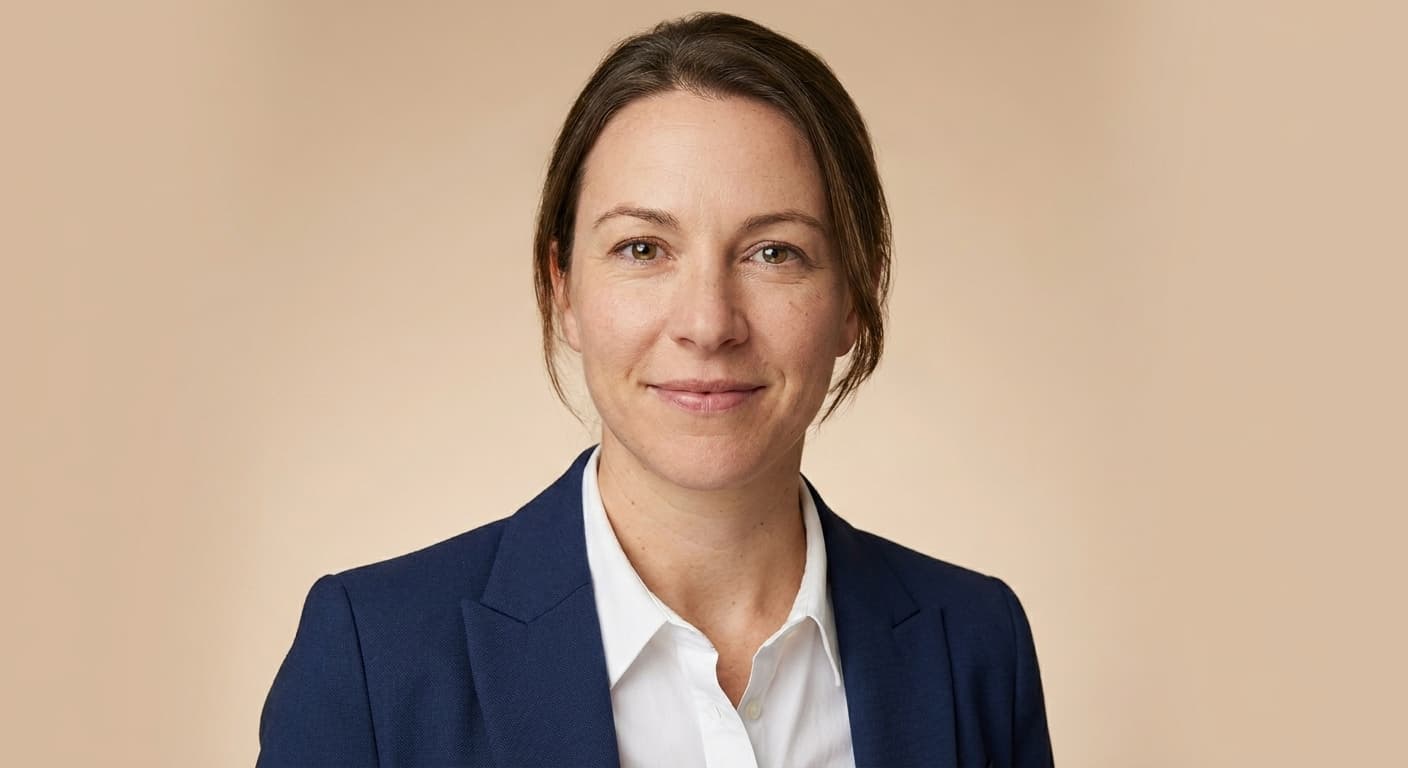
Light beige / cream
When to pick: Warm-professional. Softer than gray, more polished than outdoor.
Use cases: Marketing, design, wellness, coaching, lifestyle brands.
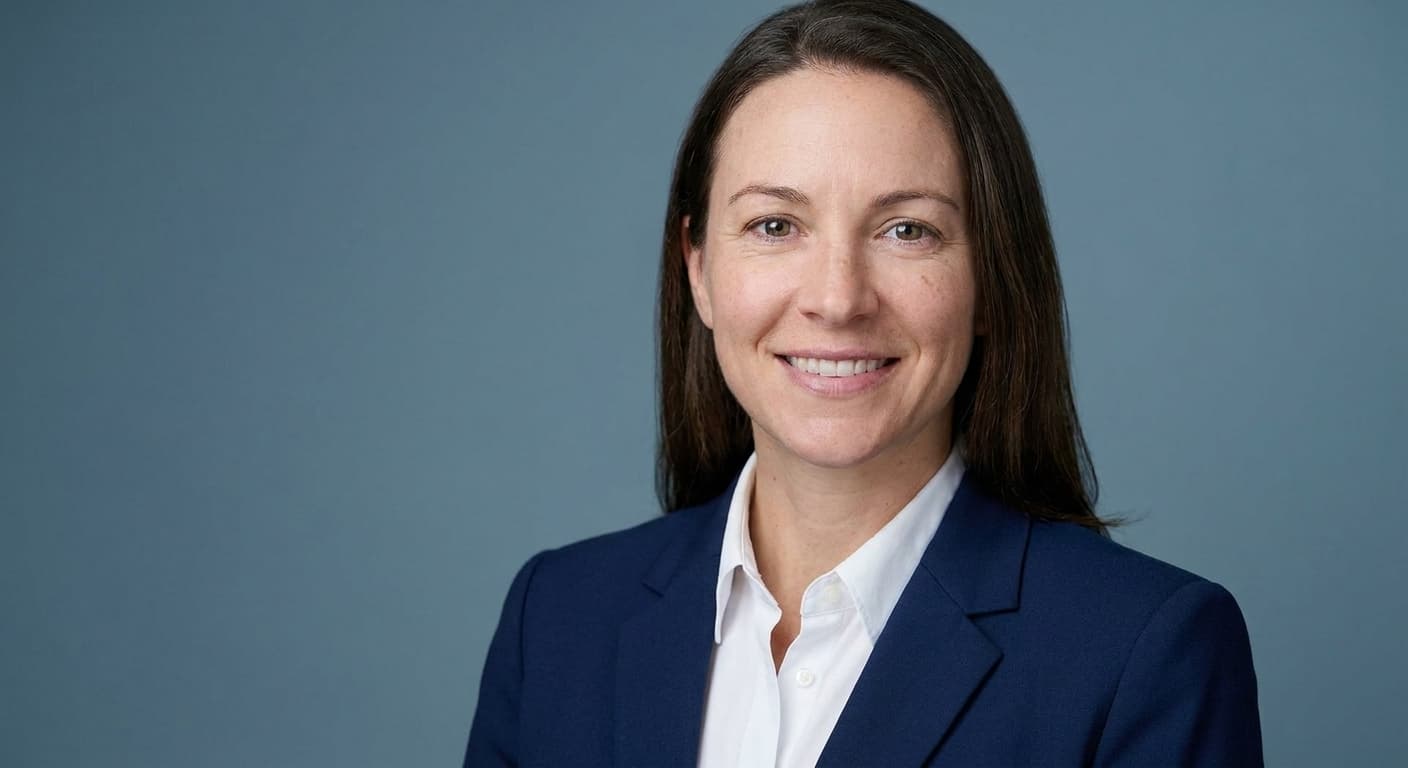
Muted blue
When to pick: Corporate but with personality. Trustworthy without being formal-stuffy.
Use cases: Tech, fintech, SaaS, B2B sales, product management.
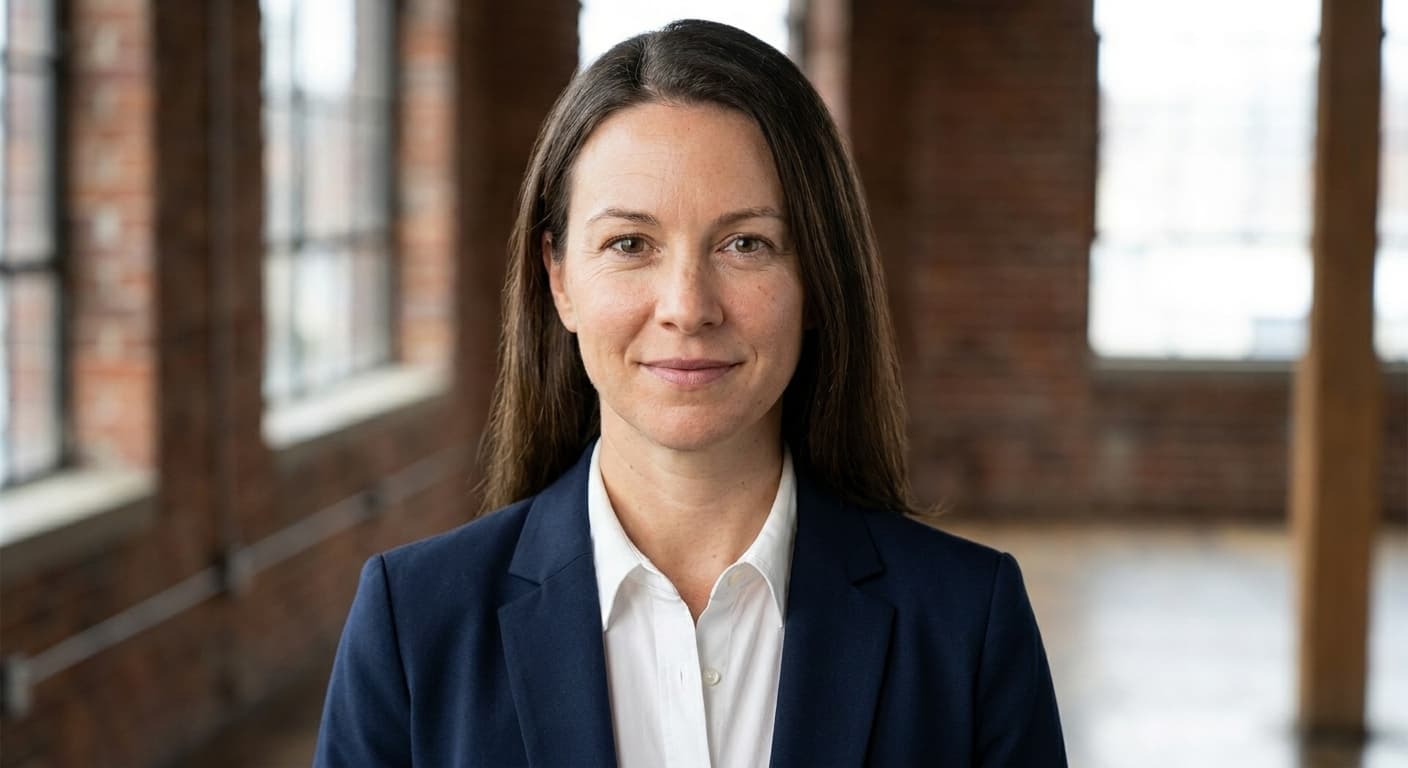
Industrial / loft
When to pick: Modern, creative, urban. For roles where personality matters.
Use cases: Designers, architects, creative directors, startup founders.
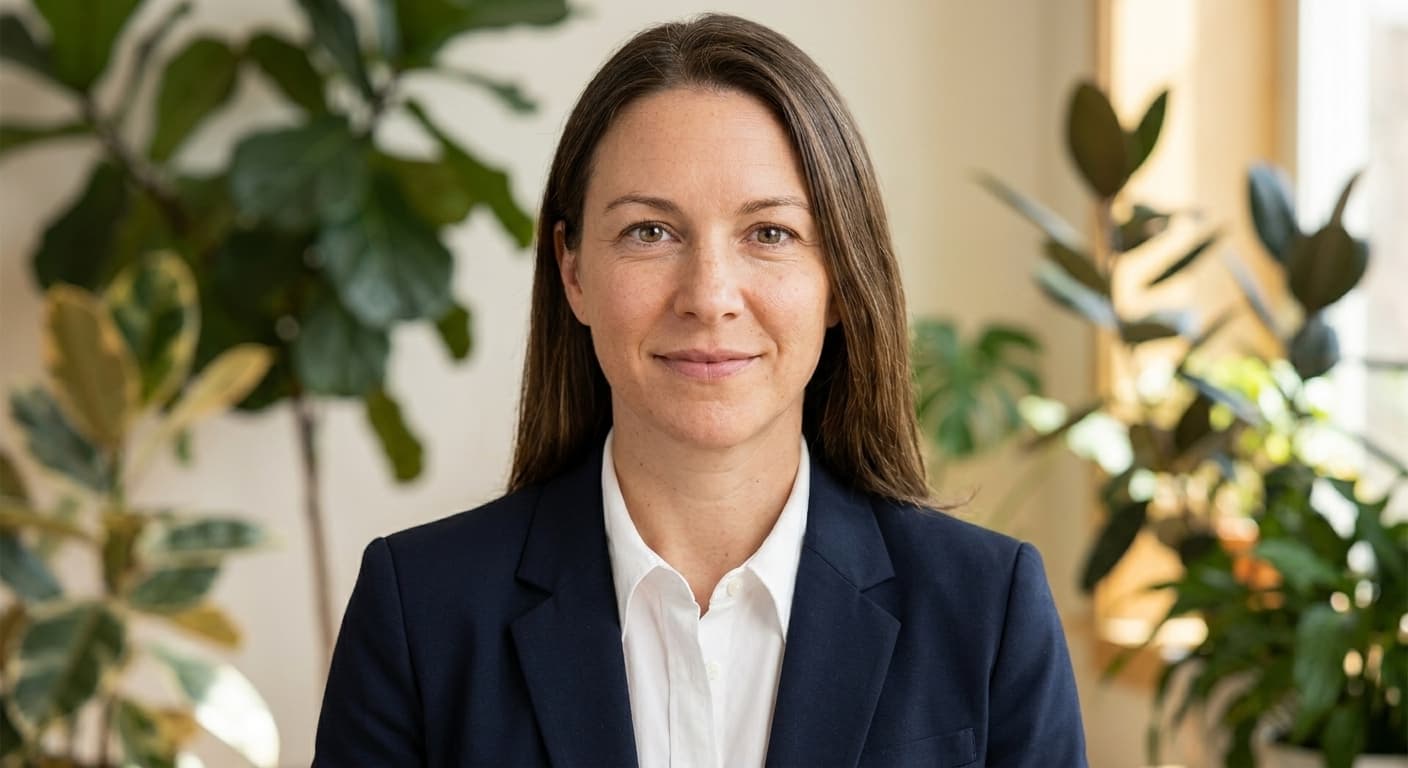
Botanical / greenery
When to pick: Calm, grounded, wellness-aligned. Avoids the clinical-medical look.
Use cases: Therapists, wellness coaches, sustainability roles, organic brands.
How to choose
Pick by audience and platform, not by personal preference:
- LinkedIn first → neutral studio gray. It reads correctly in both light and dark mode and survives the round-crop test at small avatar sizes.
- Senior / board / formal context → executive dark studio. Conveys authority without being editorial.
- Client-facing trust → blurred outdoor or warm beige. Approachable, real-world, not corporate-stiff.
- Editorial / press / book jacket → white seamless. The classic publication standard.
- Domain expertise signal → library warm. Conveys knowledge and depth.
- Tech / SaaS / B2B sales → muted blue. Corporate trust with personality.
- Creative role → industrial loft. Signals modern and unconventional.
- Wellness / therapy / sustainability → botanical greenery. Calm and grounded, avoids the clinical-medical look.
Backgrounds for a professional profile photo
A professional profile photo is the head-and-shoulders image people see first on LinkedIn, a job application, a company about page, or a speaker bio. The background does the same job as the clothes: it tells people where you belong before they read a word of the caption.
Neutral studio gray is the default for recruiter-facing profiles because it survives light mode, dark mode, and a tiny round crop. Warm beige or a soft office blur works when the photo needs to feel approachable. A kitchen wall, a car interior, or a busy poster reads as a snapshot, not a professional profile photo. If you are building a LinkedIn portrait or a job-application photo, pick the background for that destination first, then keep the same face across both.
Common background mistakes
- Pure white background for LinkedIn. Disappears in LinkedIn dark mode. Use a mid-tone gray or muted color instead.
- Busy or branded backgrounds. Logos, posters, or busy patterns pull attention from your face, which is distracting in feeds where the image is 56 × 56 pixels.
- Outdoor background that's too sharp. Trees, buildings, or background people should be blurred. A sharp background competes with the face.
- Background that contradicts your role. A botanical greenery background for a corporate finance role reads as off-brand. Match the audience's expectations.
- The home-office video-call backdrop. Bookshelves with kid drawings, partial doorways, or random domestic context belong on Zoom, not on LinkedIn.
How Portreya handles backgrounds
When you generate a headshot in Portreya, the preset determines the background style. Eight of the ten styles above map directly to a Portreya preset (such as a neutral studio, a dark executive studio, or a modern office). The remaining two (white seamless, botanical greenery) come from style modifiers you can apply during generation.
Every Portreya preset is mid-tone-safe by default. Even the studio backgrounds avoid pure white. That means your generated headshot will read correctly in both LinkedIn light and dark mode without further adjustment, and survives the 56 × 56 thumbnail crop.
Portreya takes one clear selfie and returns polished headshots in about 60 seconds per image. Accounts are free to create, while generation uses a paid one-time pack at the current published price. You pick the background style with the pack or preset, not with a separate studio day.
Choose a pack, upload one clear selfie, and use the Portreya AI headshot generator to create your finished headshot against the background that fits your role.
Do you need free professional photo backgrounds?
You do not need a PNG backdrop pack or a printed studio wall behind your selfie. The background is part of the finished photo, not a separate download.
Portreya is not a free generation or backdrop service. Accounts are free to create; generation uses a paid one-time pack at the current published price. Upload one clear selfie, pick a preset, and the professional background is included in the requested photo. This page is a style guide, not a free backdrop library.
Frequently asked questions
What is the best background color for a professional headshot?▼
Mid-tone gray is the safest universal choice. It reads correctly in both LinkedIn light and dark mode, survives small avatar crops, and matches every professional context. For a more specific role, follow the gallery above: executive dark studio for senior corporate, warm beige for client-facing, library warm for academic.
Should the background be blurred or solid?▼
Both work depending on context. Solid neutral backgrounds (gray, beige, dark studio) suit LinkedIn and formal corporate. Blurred backgrounds (outdoor, office, industrial) add real-world context but must be soft enough not to compete with your face. A sharp background reads as a snapshot, not a professional headshot.
Why does my LinkedIn headshot look bad in dark mode?▼
Probably because the background is too close to pure white. White backgrounds disappear into LinkedIn's dark theme, leaving just a floating face. Use a mid-tone gray, muted blue, or warm beige. Every Portreya preset defaults to a mid-tone-safe background for exactly this reason.
Can I change the background after generating with Portreya?▼
Yes. Choose a different preset before generation to get a different background style on the same face. You do not need image-editing software; the background is part of the preset, not a post-edit step.
How much does Portreya cost for headshots with different backgrounds?▼
Creating an account is free, but generation requires a paid one-time pack. Check the current pricing page before purchase. Upload one clear selfie and pick a pack or preset for the background style.
What background should a real estate agent use?▼
Blurred outdoor or warm beige reads as approachable and trustworthy, the qualities clients look for when picking an agent. Avoid dark studio (too corporate-cold for residential real estate) and pure white (too clinical). The blurred outdoor preset is the most common pick for agent photos on Zillow and MLS listings.
What background should I use for a professional profile photo?▼
Use a mid-tone studio gray if the photo has to work on LinkedIn, a CV, and a company directory at the same time. If the profile is mainly client-facing, warm beige or a softly blurred office is enough contrast for the face without looking like a passport kiosk. Keep the background quieter than the person. Busy walls, logos, and sharp outdoor scenes fight the crop that recruiters actually see.
Are there free backgrounds for professional photos?▼
You can find free PNG backdrops online, but they rarely sit correctly behind a real face and they still leave you with a snapshot. Portreya is not a free backdrop or generation service. Accounts are free to create, but finished photos require a paid pack. The selected background comes with the requested photo.
What is a photograph for a professional profile?▼
It is a recent head-and-shoulders photo of one person, facing the camera, with even light and a background that matches the job. It is not a cropped party shot and it is not an art portrait with a dramatic sky. LinkedIn, job boards, and speaker pages all use this same shape. The background should still read at 56 × 56 pixels.
Can I use the same background on LinkedIn and a job application?▼
Yes, and you usually should. Recruiters bounce between LinkedIn and the PDF. A matching mid-tone studio background makes it obvious it is the same person. Change the background only when the two destinations ask for different formality, for example a warm outdoor look for an agent listing and a gray studio look for the CV.
Try the background that fits your role
Create a free account, choose a paid one-time pack at the current published price, and upload one clear selfie. Switch presets to match the background to your role.
Create your free account